


Restart the Tor service from aaPanel when your .onion site stops responding — the method that works on servers with no Tor button in the panel.
How to Restart your Tor Service on aaPanel
This method allows you to restart your Tor Service when it is down, especially on servers that do not have SSH access.
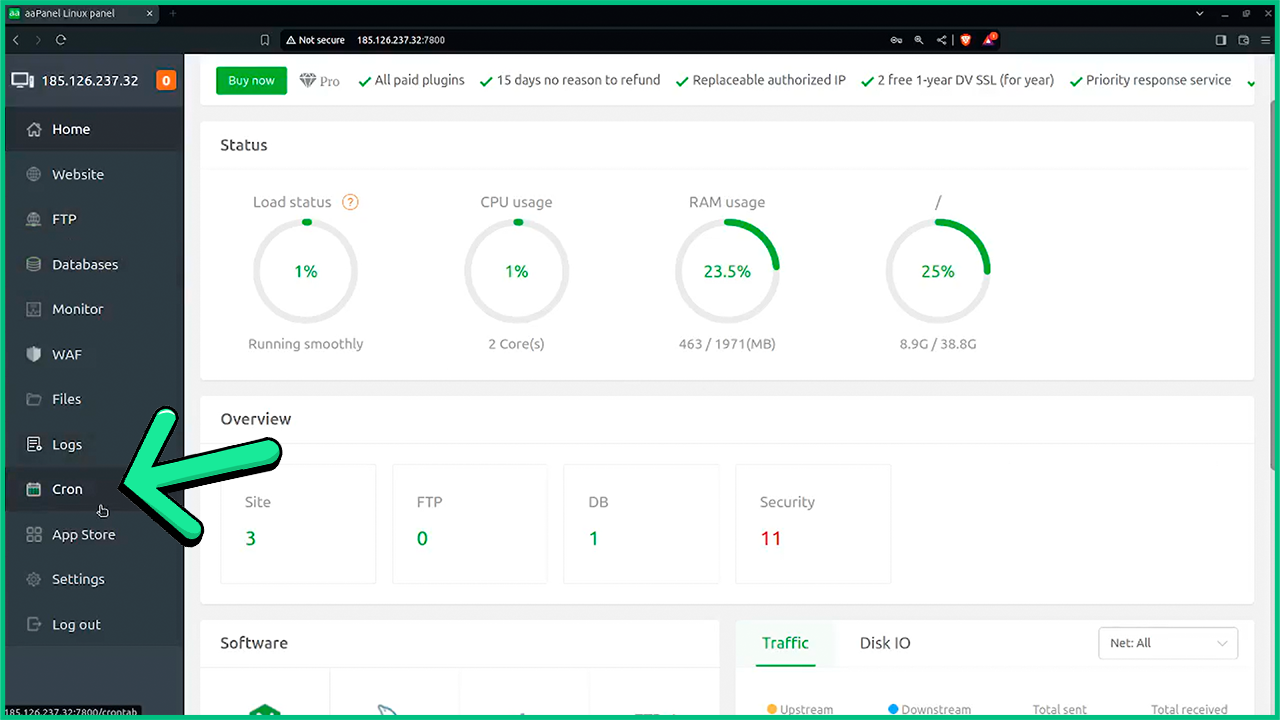
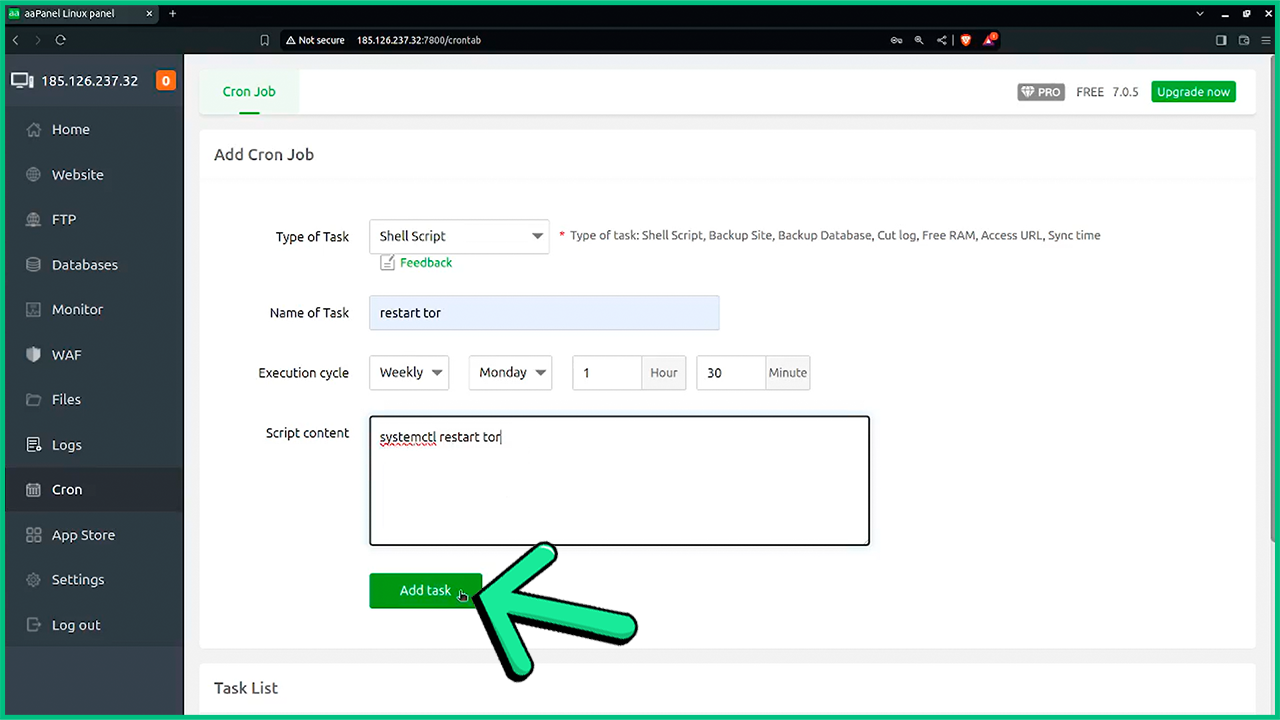
1- Within your aaPanel Click on the Cron tab
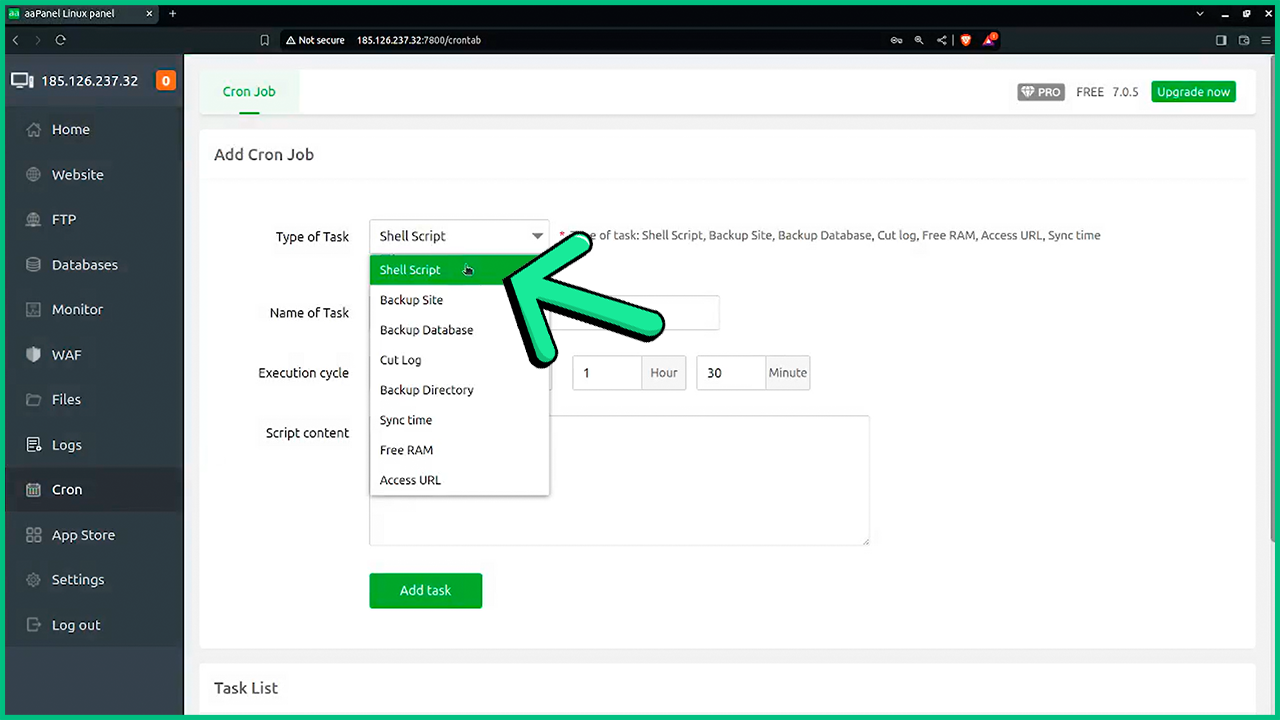
2- Now Select Shell Script
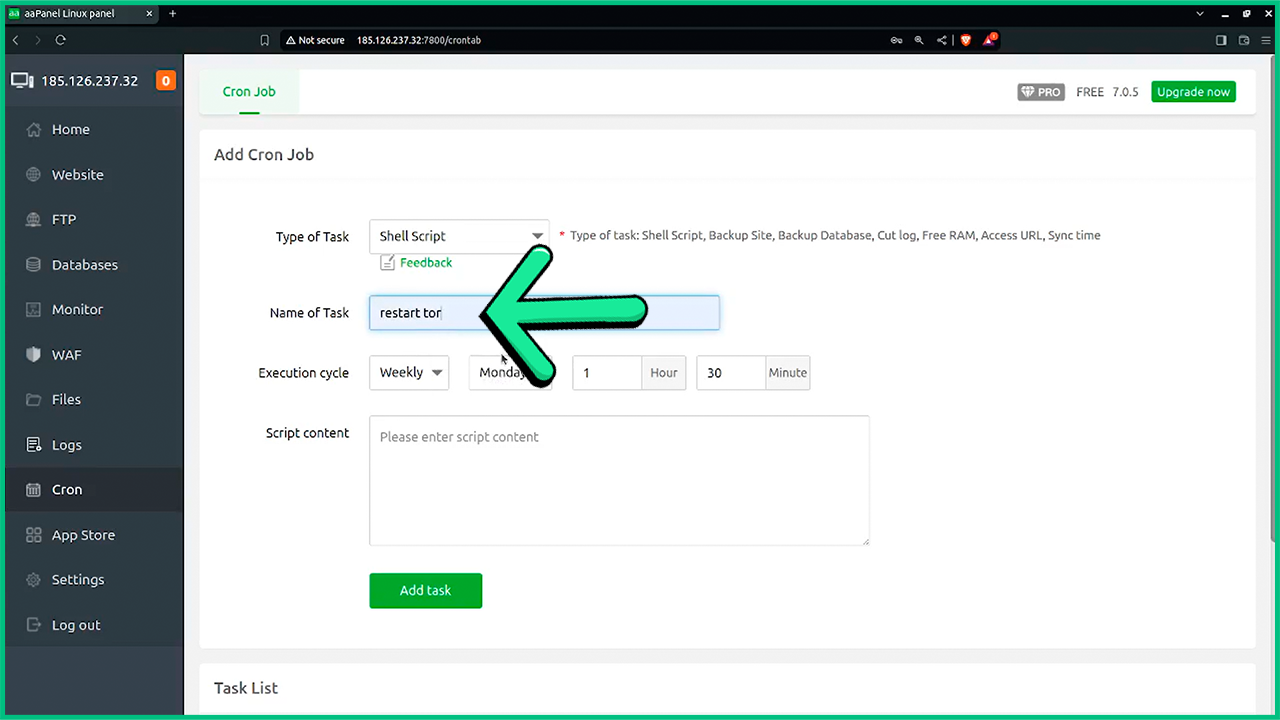
3- Add a name for the task
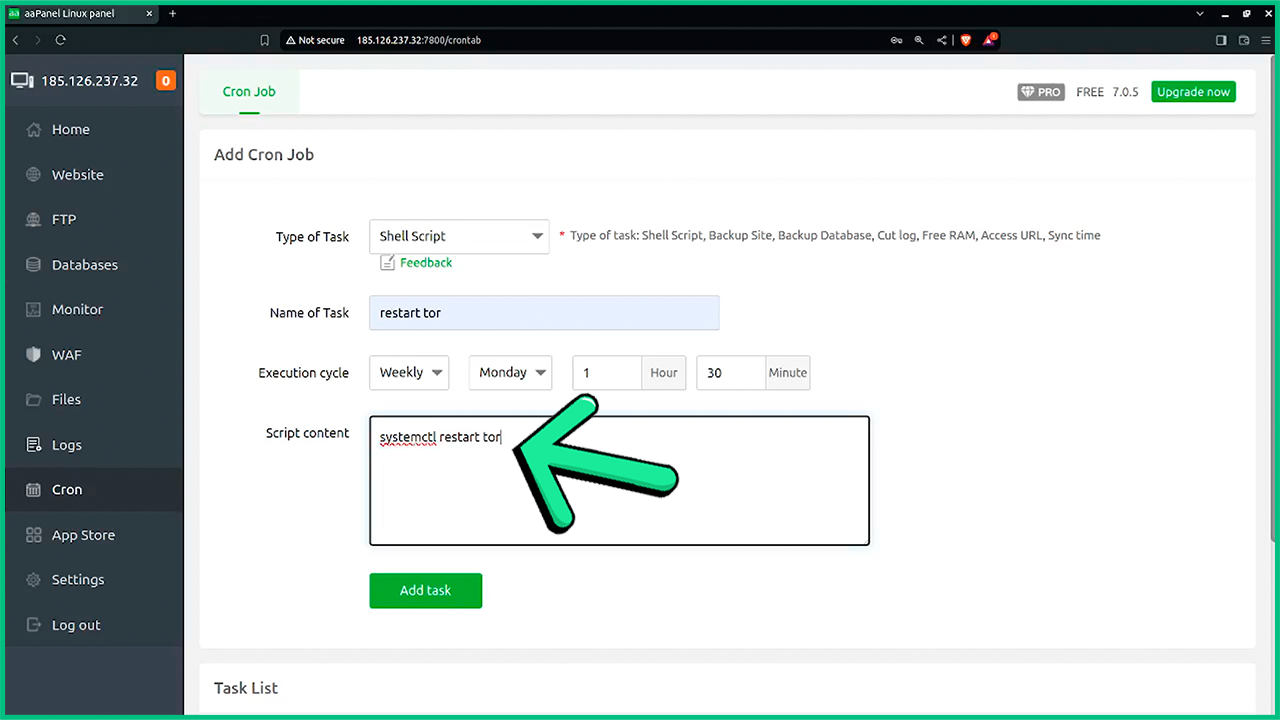
4- In the Script content field, enter the "systemctl restart tor" code
5- Now Click on Add task
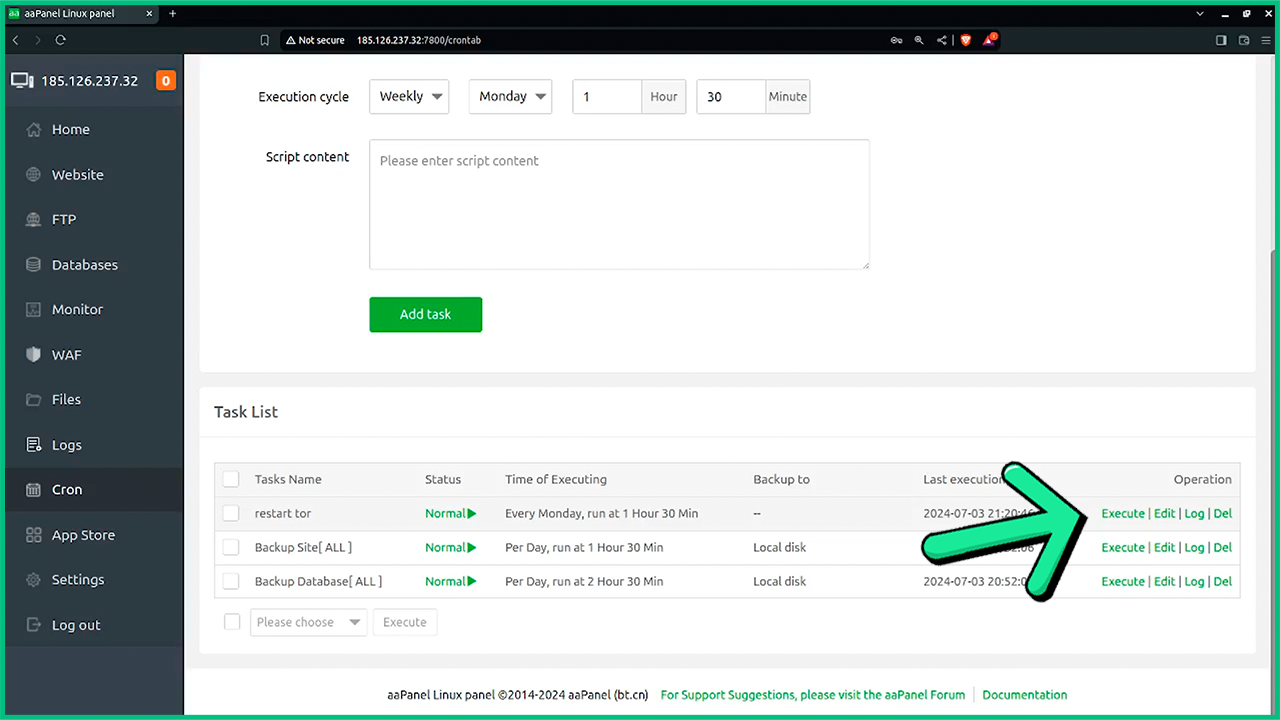
6- Below, click on Execute in the line of the task you created
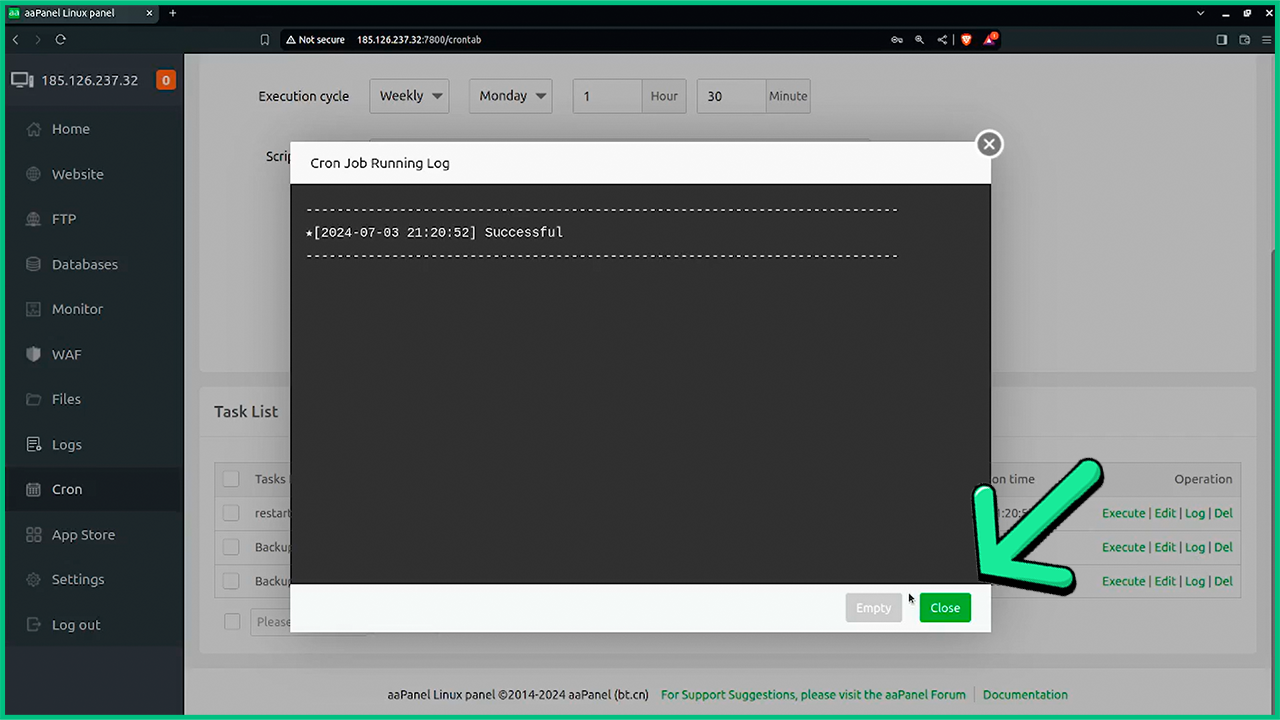
7- After receiving the success message, close the modal
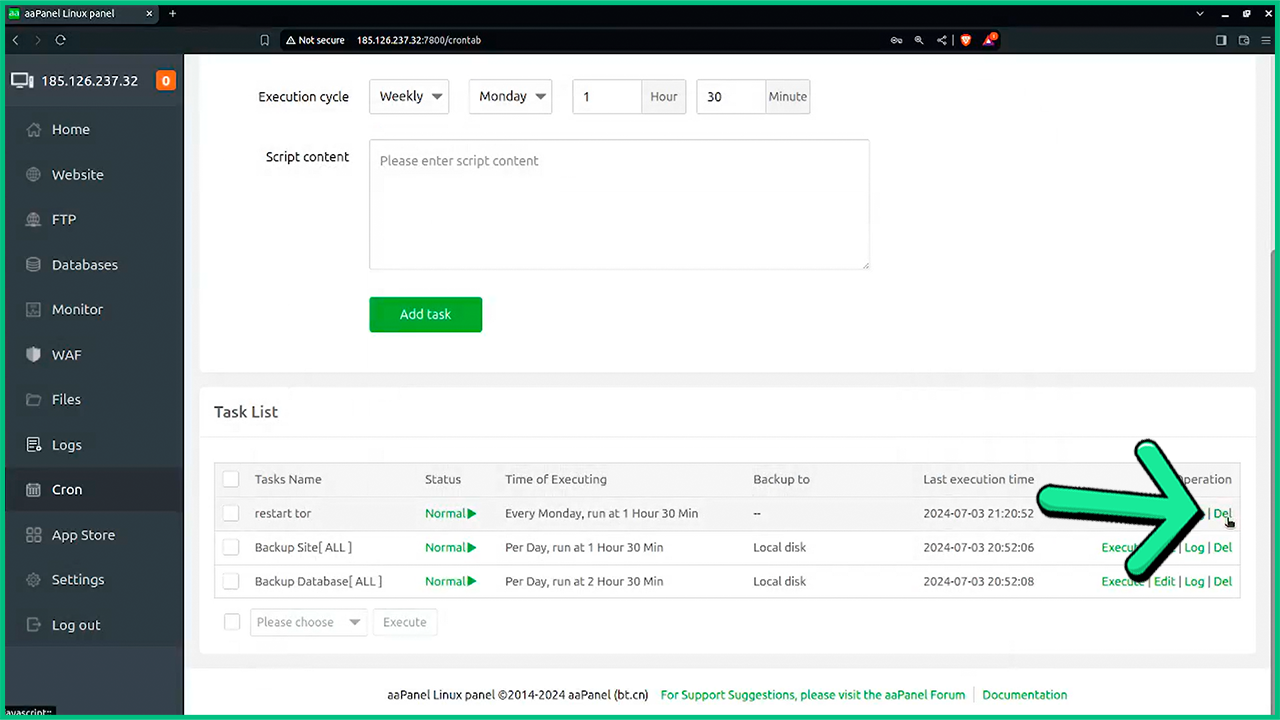
8- Now delete the task you created to prevent it from repeating automatically
And this is it, your Tor will be completely restarted in case you were stuck or it just stopped working as it should, if you have any questions or problems with this tutorial, contact us by Ticket and we'll answer you as soon as possible.
