
























Trape Intro:- Trape is an OSINT (Open Source Intelligence Tool) a tracking tool in which you can execute social engineering attacks in real-time, ethical hacking specialists clarify. It was created aiming to tell the world how an attacker can obtain confidential info such as the victim's location beyond their IP addresses without knowing the victim.
Ethical hacking researcher at the International Institute of Cyber Security says that Trape can obtain many things about the victim and can be used in mass-level hacking attacks.
Trape has been tested in Kali Linux to show you.
TRAPE INSTALLATION:-
- Trape does not come pre-installed in any Linux Distros. To install Trape go to the GitHub link:
type git clone https://github.com/jofpin/trape.git
- After cloning type cd trape
- Then type ls
- Install the required libraries of trape. For that type
pip install -r requirements.txt
root@kali:/home/iicybersecurity# cd trape
root@kali:/home/iicybersecurity/trape# ls
core database.db README.md requirements.txt static templates trape.py version.txt
root@kali:/home/iicybersecurity/trape# pip install -r requirements.txt
Requirement already satisfied: Flask in /usr/local/lib/python2.7/dist-packages (from -r requirements.txt (line 1))
Requirement already satisfied: Flask-Login in /usr/local/lib/python2.7/dist-packages (from -r requirements.txt (line 2))
Requirement already satisfied: Flask-Session in /usr/local/lib/python2.7/dist-packages (from -r requirements.txt (line 3))
Requirement already satisfied: flask-socketio in /usr/local/lib/python2.7/dist-packages (from -r requirements.txt (line 4))
Requirement already satisfied: flask_cors in /usr/local/lib/python2.7/dist-packages (from -r requirements.txt (line 6))
Requirement already satisfied: itsdangerous in /usr/lib/python2.7/dist-packages (from -r requirements.txt (line 7))
Requirement already satisfied: Jinja2 in /usr/lib/python2.7/dist-packages (from -r requirements.txt (line 8))
Requirement already satisfied: MarkupSafe in /usr/lib/python2.7/dist-packages (from -r requirements.txt (line 9))
Requirement already satisfied: python-engineio in /usr/local/lib/python2.7/dist-packages (from -r requirements.txt (line 10))
Requirement already satisfied: python-socketio in /usr/local/lib/python2.7/dist-packages (from -r requirements.txt (line 11))
Requirement already satisfied: six in /usr/lib/python2.7/dist-packages (from -r requirements.txt (line 12))
Requirement already satisfied: Werkzeug in /usr/lib/python2.7/dist-packages (from -r requirements.txt (line 13))
Requirement already satisfied: eventlet in /usr/local/lib/python2.7/dist-packages (from -r requirements.txt (line 14))
Requirement already satisfied: requests in /usr/local/lib/python2.7/dist-packages (from -r requirements.txt (line 15))
Requirement already satisfied: monotonic>=1.4 in /usr/local/lib/python2.7/dist-packages (from eventlet->-r requirements.txt (line 14))
Requirement already satisfied: dnspython>=1.15.0 in /usr/local/lib/python2.7/dist-packages (from eventlet->-r requirements.txt (line 14))
Requirement already satisfied: greenlet>=0.3 in /usr/lib/python2.7/dist-packages (from eventlet->-r requirements.txt (line 14))
Requirement already satisfied: enum34; python_version < "3.4" in /usr/lib/python2.7/dist-packages (from eventlet->-r requirements.txt (line 14))
Requirement already satisfied: idna<2.8,>=2.5 in /usr/local/lib/python2.7/dist-packages (from requests->-r requirements.txt (line 15))
Requirement already satisfied: chardet<3.1.0,>=3.0.2 in /usr/lib/python2.7/dist-packages (from requests->-r requirements.txt (line 15))
Requirement already satisfied: urllib3<1.25,>=1.21.1 in /usr/local/lib/python2.7/dist-packages (from requests->-r requirements.txt (line 15))
Requirement already satisfied: certifi>=2017.4.17 in /usr/local/lib/python2.7/dist-packages (from requests->-r requirements.txt (line 15))
- Type python trape.py
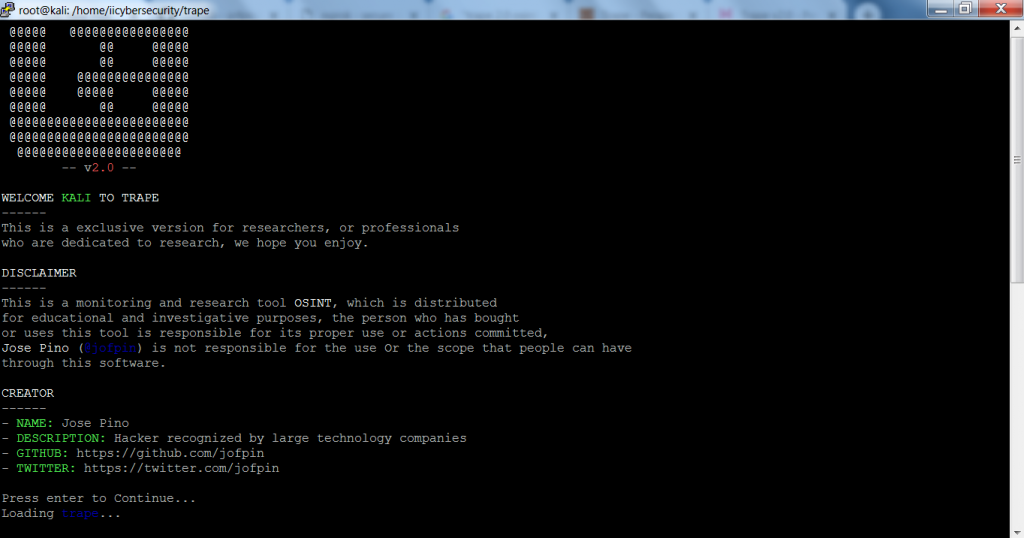
- To use Trape, you must have an account in the ngrok. ngrok gives you the token to access Trape.
- ngrok is a reverse proxy tool that creates an secure tunnel from a public endpoint. It captures all traffic for detailed inspection.
- To create a ngrok account go to :
https://dashboard.ngrok.com/user/signup
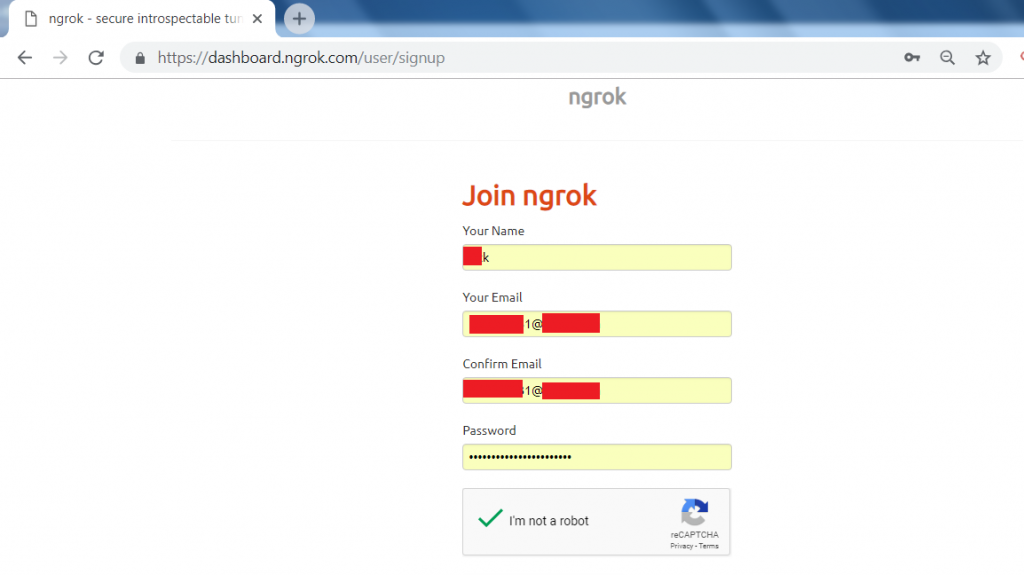
- After creating an account go to login with your credentials.
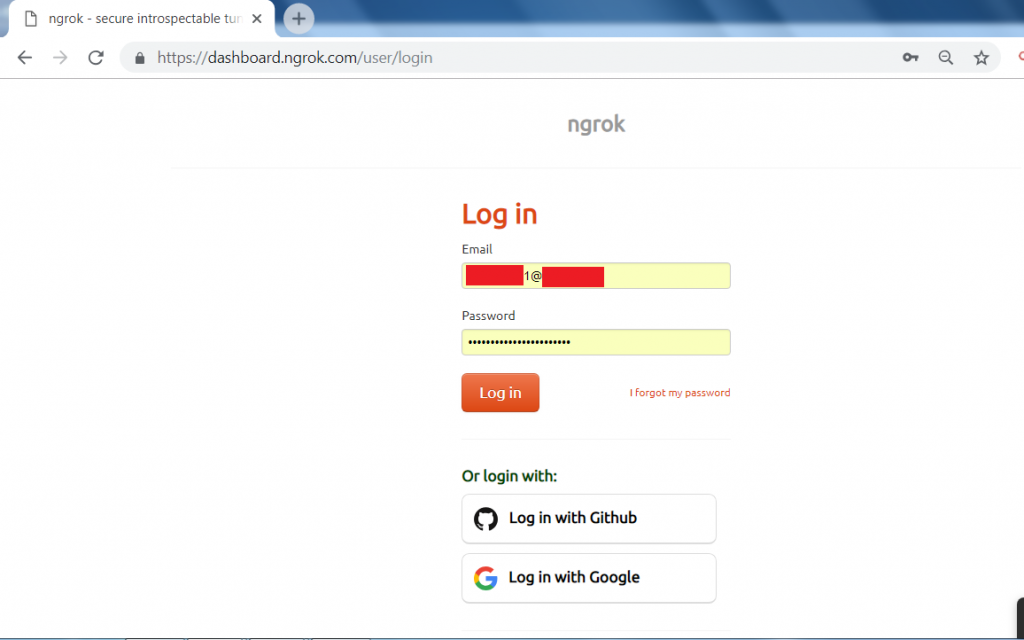
- After you log in to your account.
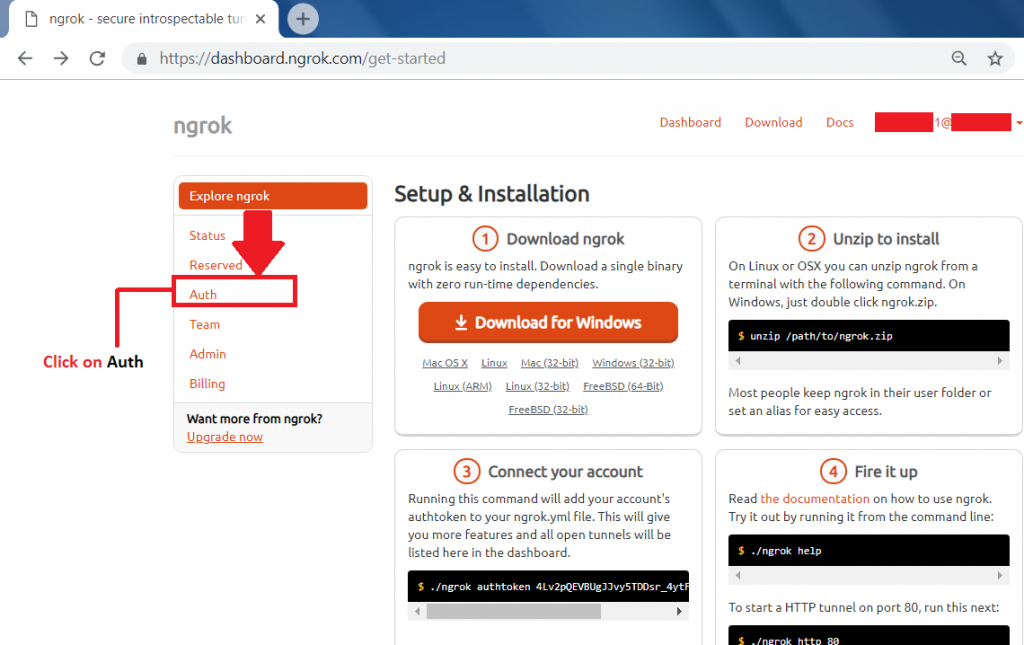
- Go to the Auth tab to get the ngrok access token.
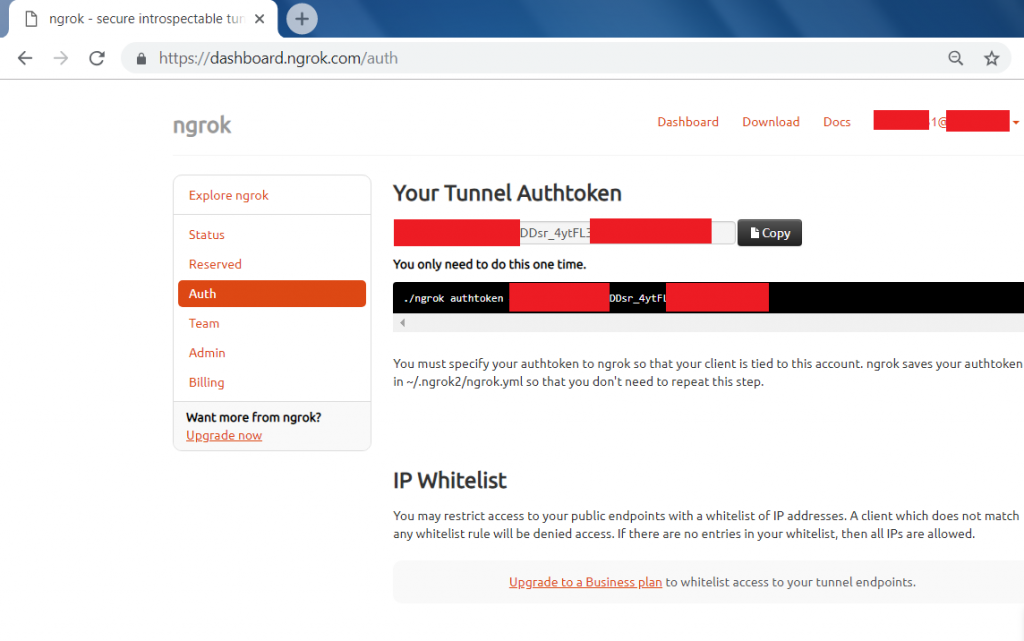
- Auth token will be :
xxxxxxxEVBUxxxxxxTDDsr_4ytFLxxUSxxxxxxxxxxZF
- After getting the access token, you have to enter the access token where you have started the trape in Linux console.
After creating a Ngrox api. Now create a Google Maps api.
- To get a Google Maps api, you must have a Google account.
- Go to this link: https://accounts.google.com/signup

- After creating an account in Google.
- Click this link: https://cloud.google.com/
- Click on the console tab marked in red.

- Go to APIs & Services and click on Credentials.

- Then Click on Create Credentials and then on API key.
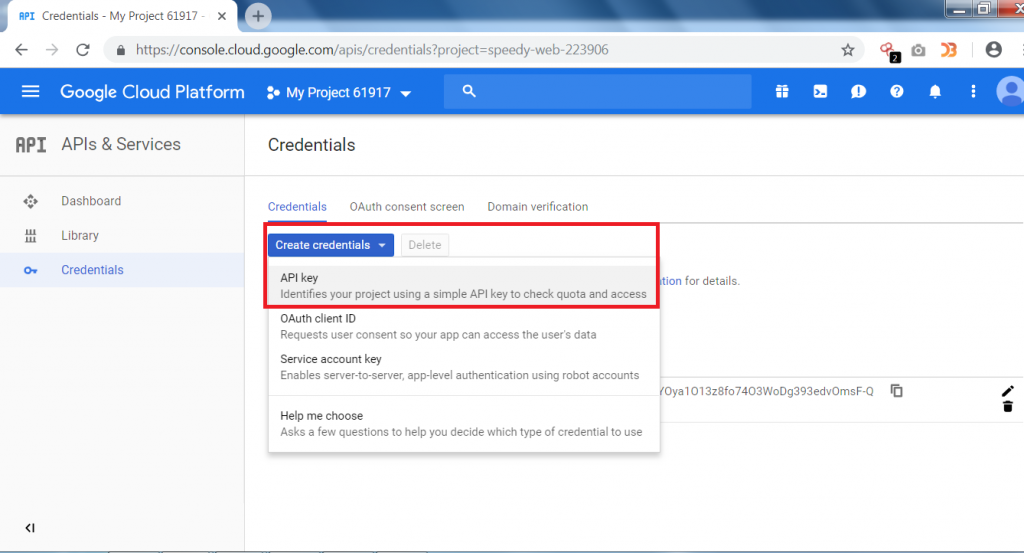
- After clicking on Create Credentials, a new API key will be generated as shown below.
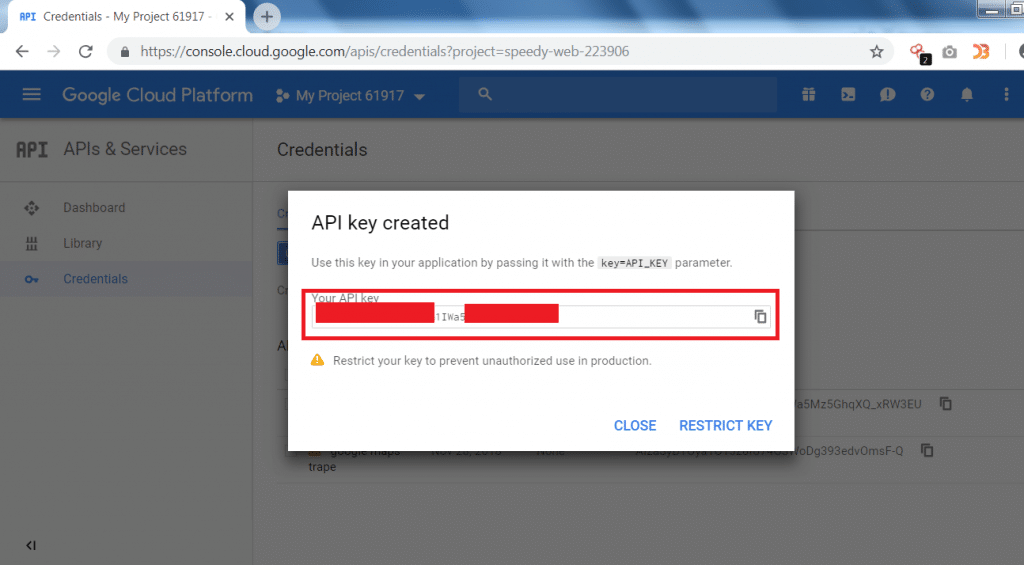
- After generating both of the API keys. You have to configure the Google Maps API in the trape.
- Now type python trape.py.
- After starting the trape, enter the API’s as shown below.

- After entering both of the API’s.
- Now enter the URL that will be used for cloning.
type URL: https://me.hack.me/login
- Then enter port no. 80
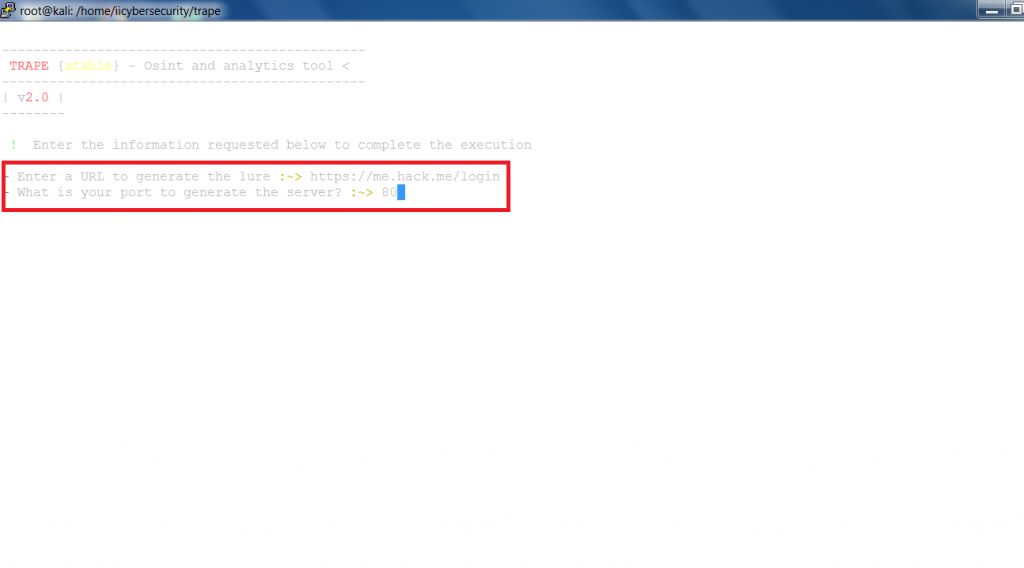
- Now enter to start the clone page.

- After starting you can see Lure for the users' link and the Public lure to use in phishing.
- Rest API path will show the JS that is being used in the clone page.
- You can also use the Link shortened lure to send to the target as it becomes more secure for the attacker. Link shortened lure is Google short URL.
- The Control panel links are used to access the hacker's temporary webpage from where the hacker can see all the information that is gathered, mentioning ethical hacking professors.
- Now on the victim's computer, you have to open the cloned page using any of the URLs, we are using public lure URL on victim's computer
- On the phish page enter the credentials.
- As you click on Login, a user will be connected via trape tunnels.

- Now, a target will be connected showing his public IP address and the identifier as shown below.

- To access the main features of Trape open the control panel as shown below.

- After entering the access key. You can see the information that Trape has gathered.

- Trape has gathered a lot of information like operating system, CPU, local ISP, Country and city, Open ports, and the browser from which the target is accessing the cloned URL.
- One main feature of Trape is showing the location on Google Maps which can reveal the real-time location of the user.
- In some cases, if Google Maps is not loading that might be because the Internet is working slowly or the check your Google API key.
- If the key is configured properly then you have to set up the billing account of ngrok to see the real-time location on the trape control panel.
- Or you can use the latitude and the longitude to know the location of the target.
- Simply search the latitude and longitude on Google Search and you can see its real-time location.
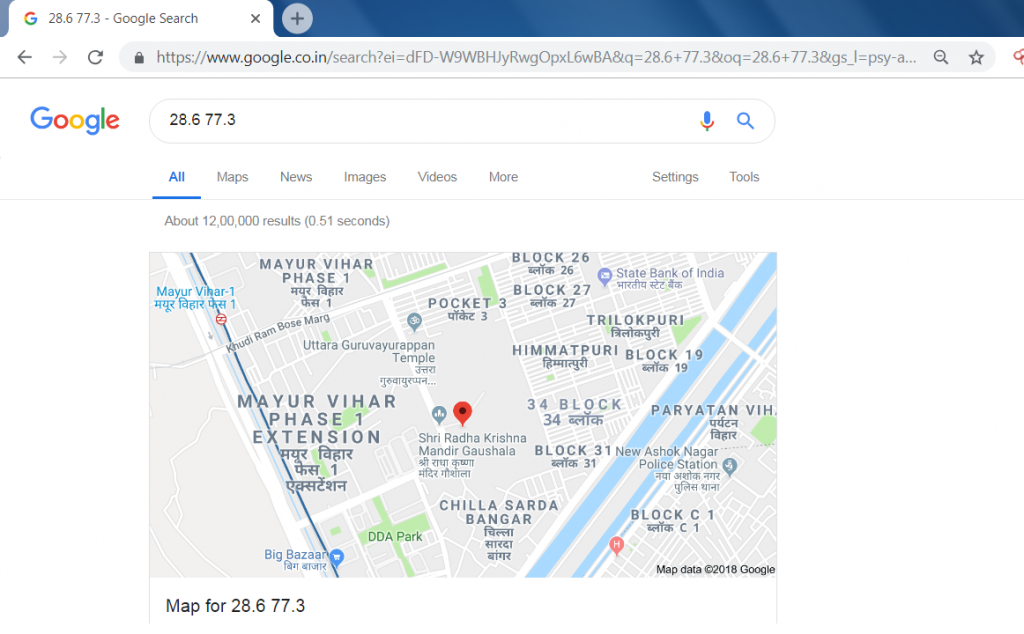
- Trape has given many information about the target. These information reveal lot about the target which can be used in other hacking activities, say ethical hacking experts.
- Trape also provides to execute attacks on social media platforms.

- Trape also shows the speed of the target ISP(Internet Service Provider)

- By clicking on the network status, Target’s download, and upload speed can be seen. This tool even shows the ping of the target and the type of connection.
- This tool also provides to inject javascript code on a victim.

- Trape also provides to send the audio, simply you have to write in the box marked in red and click on the language that is shown below.

- Trape gives many features like sending a phishing page or an attacker can send the files to the target. Creates the popup for the user as shown below.

Trape gives many features that can be used in other hacking activities like making a DDOS (Denial Of Service Attack) and Sending malware that can hack the computer of the target. Trape also shows the real-time location which directly attacks on any user privacy.
