




















What is ID protection? ID protection conceals the registrant's information for your domain name from public WHOIS records. This helps prevent spam calls and emails from people attempting to exploit your financial information.
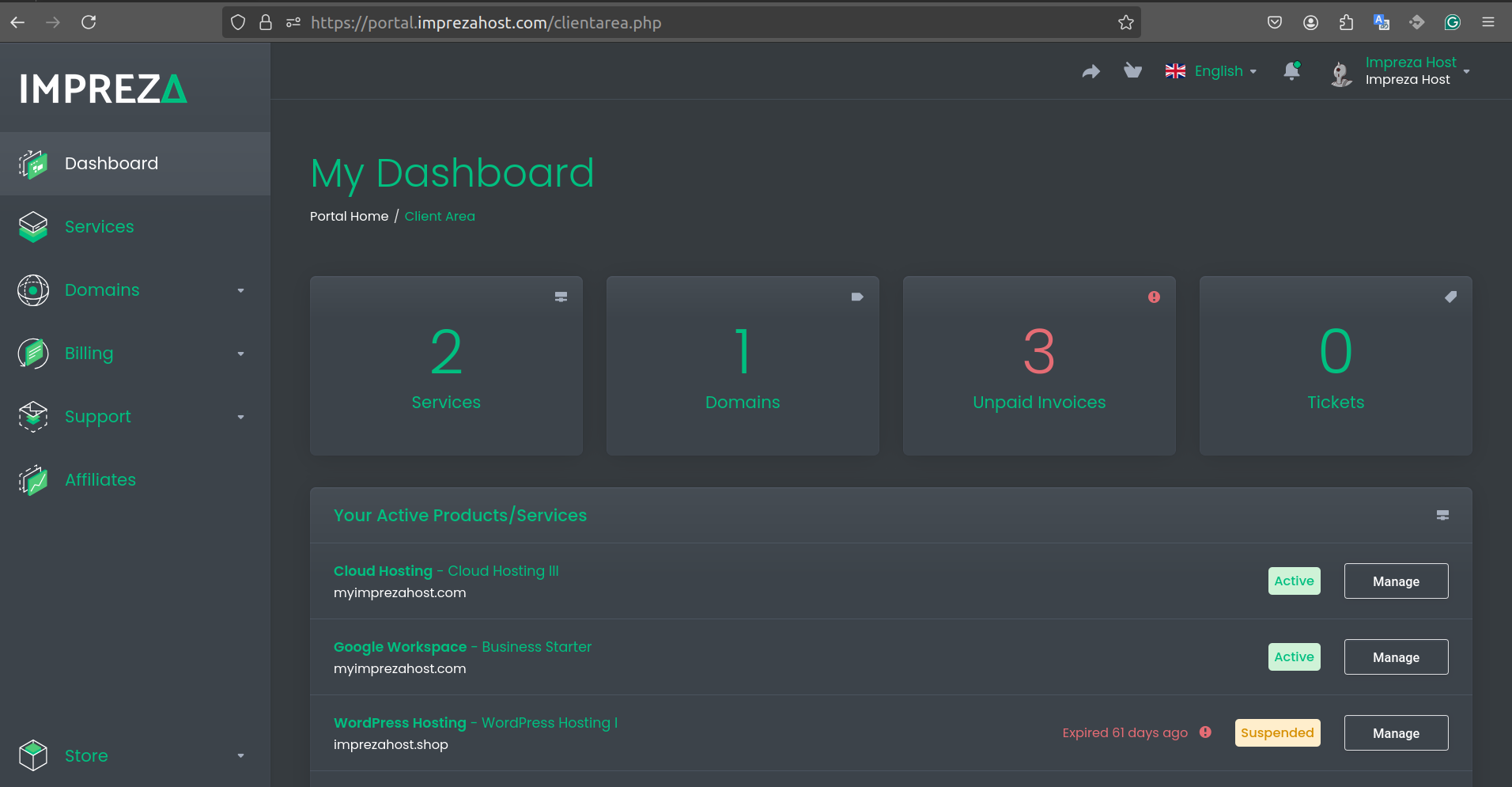
1- To add the ID Protection inside of your Panel, go to Domains
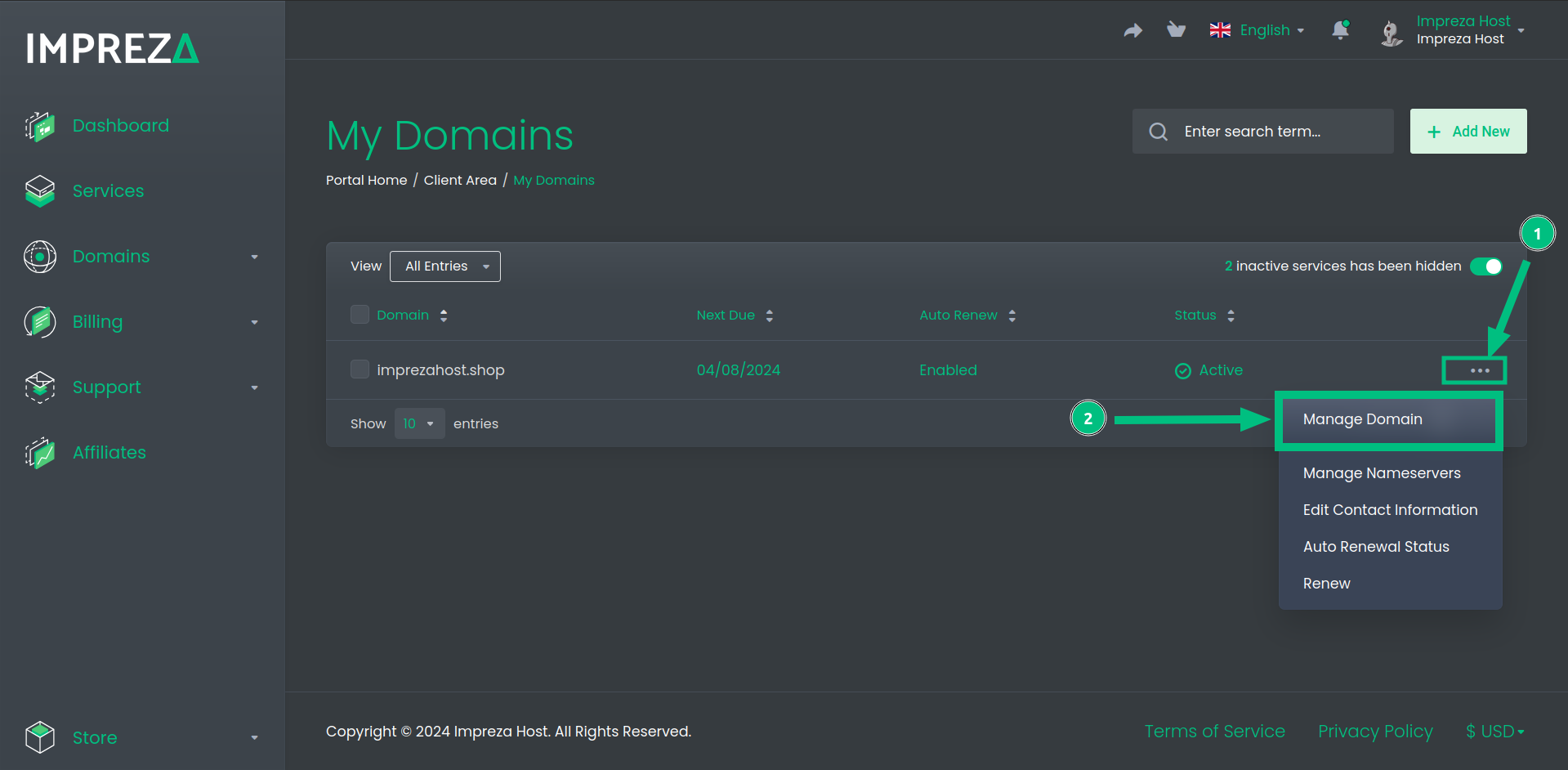
2- Click on the Three Dots then "Manage Domain"
3- Then in this Panel you'll have a few options about your Domain Configuration
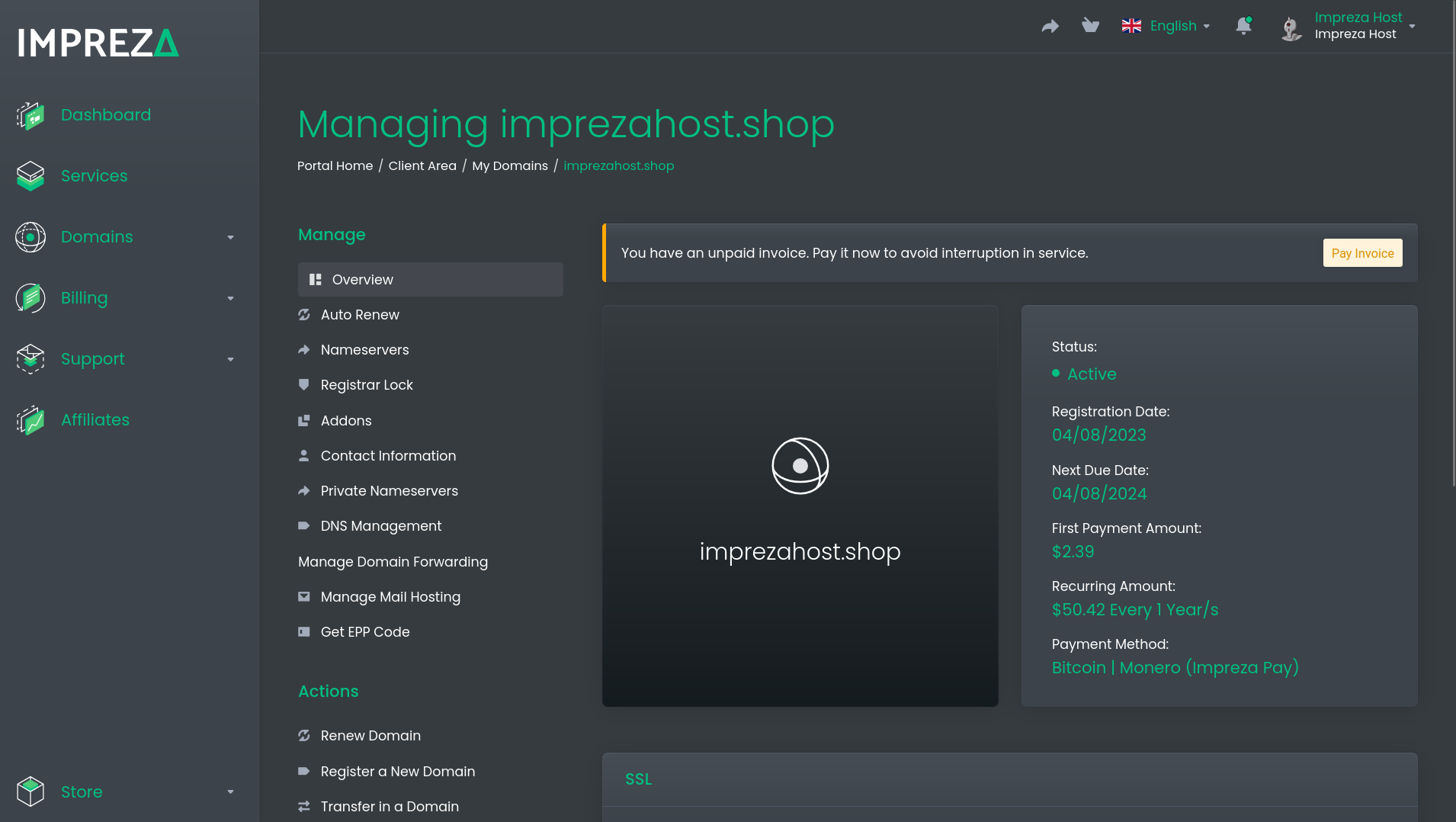
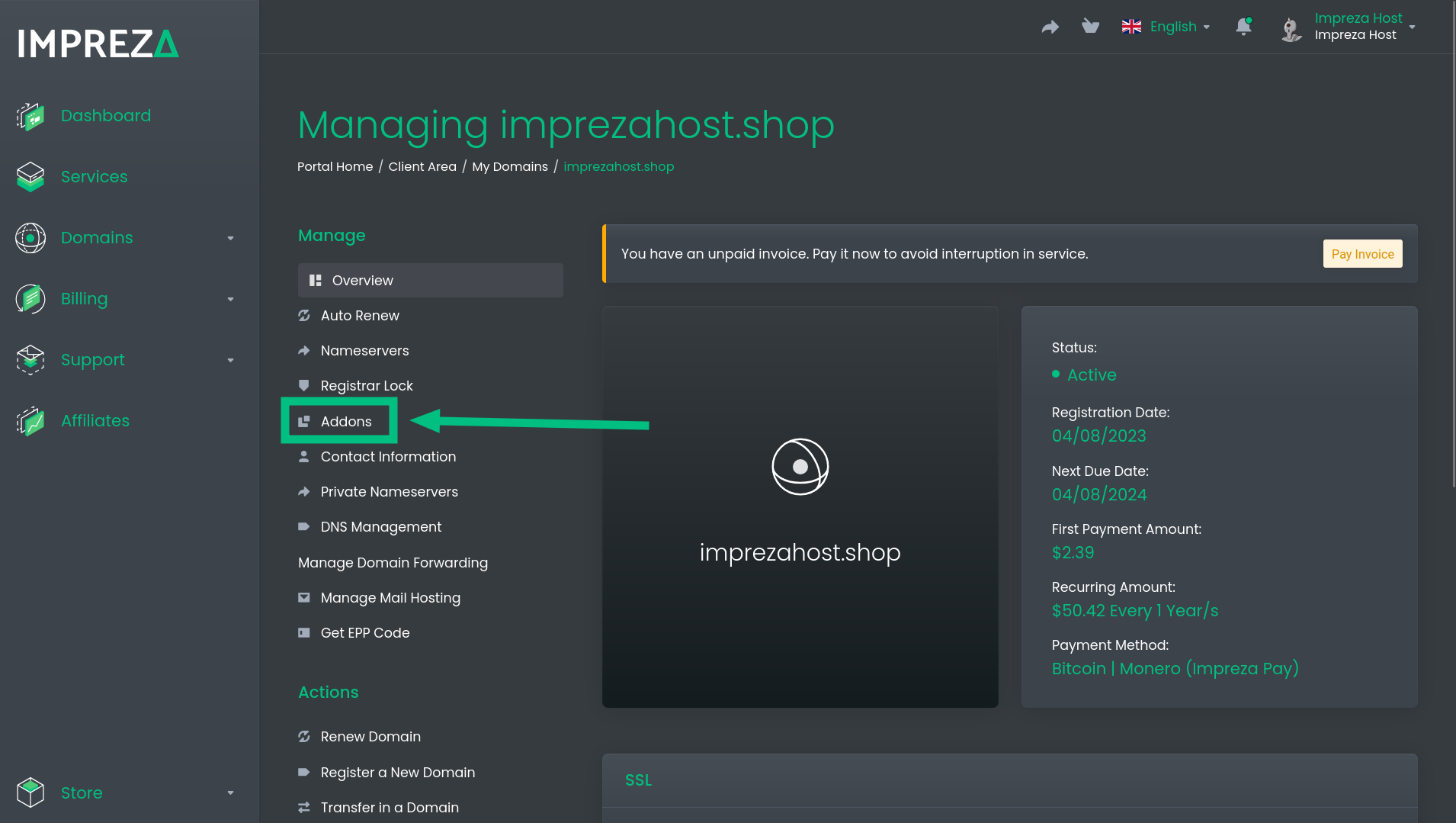
4- In this Panel click on "Addons"
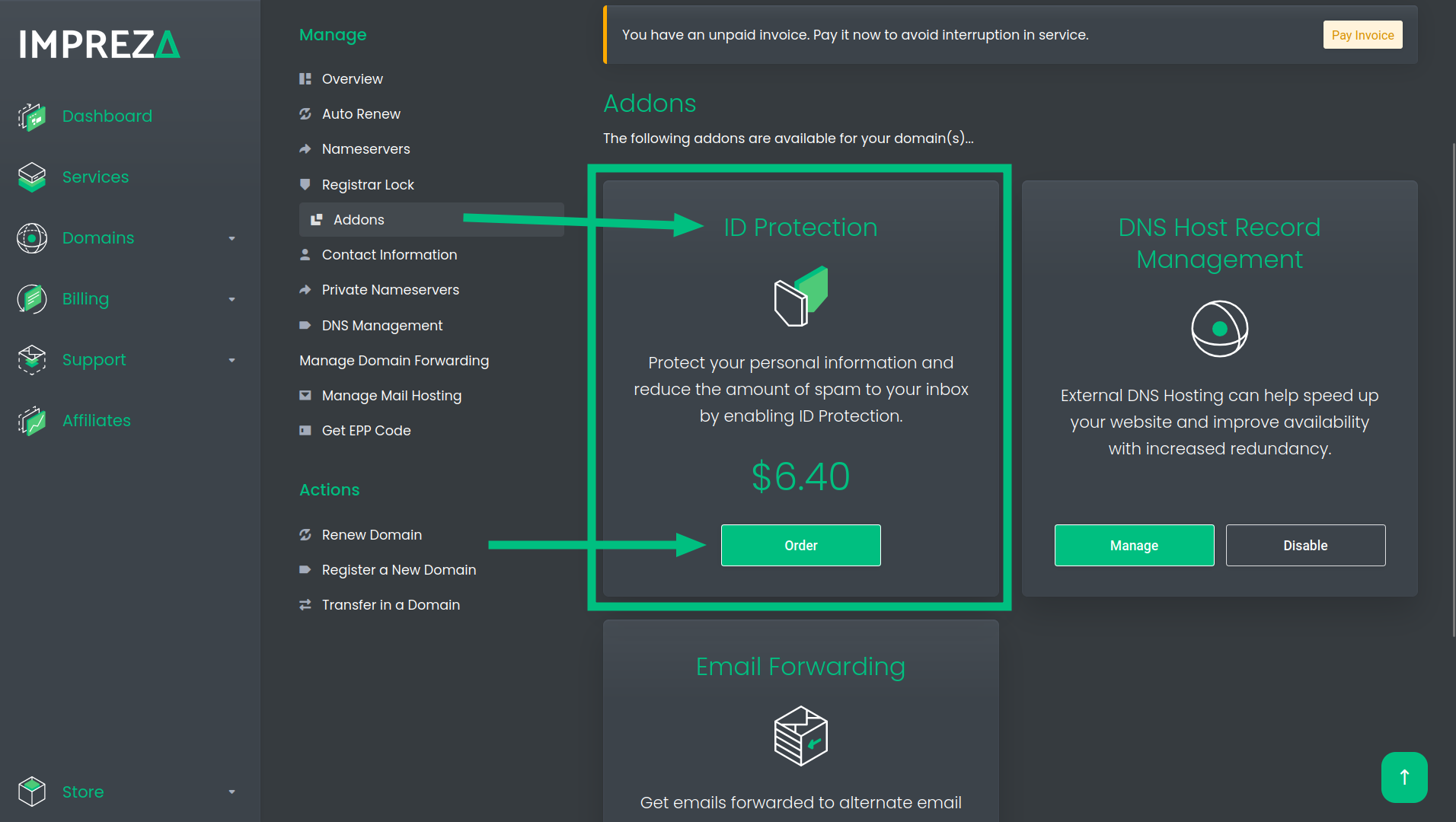
5- Here you can add your ID Protection to your Domain, click on "Order"
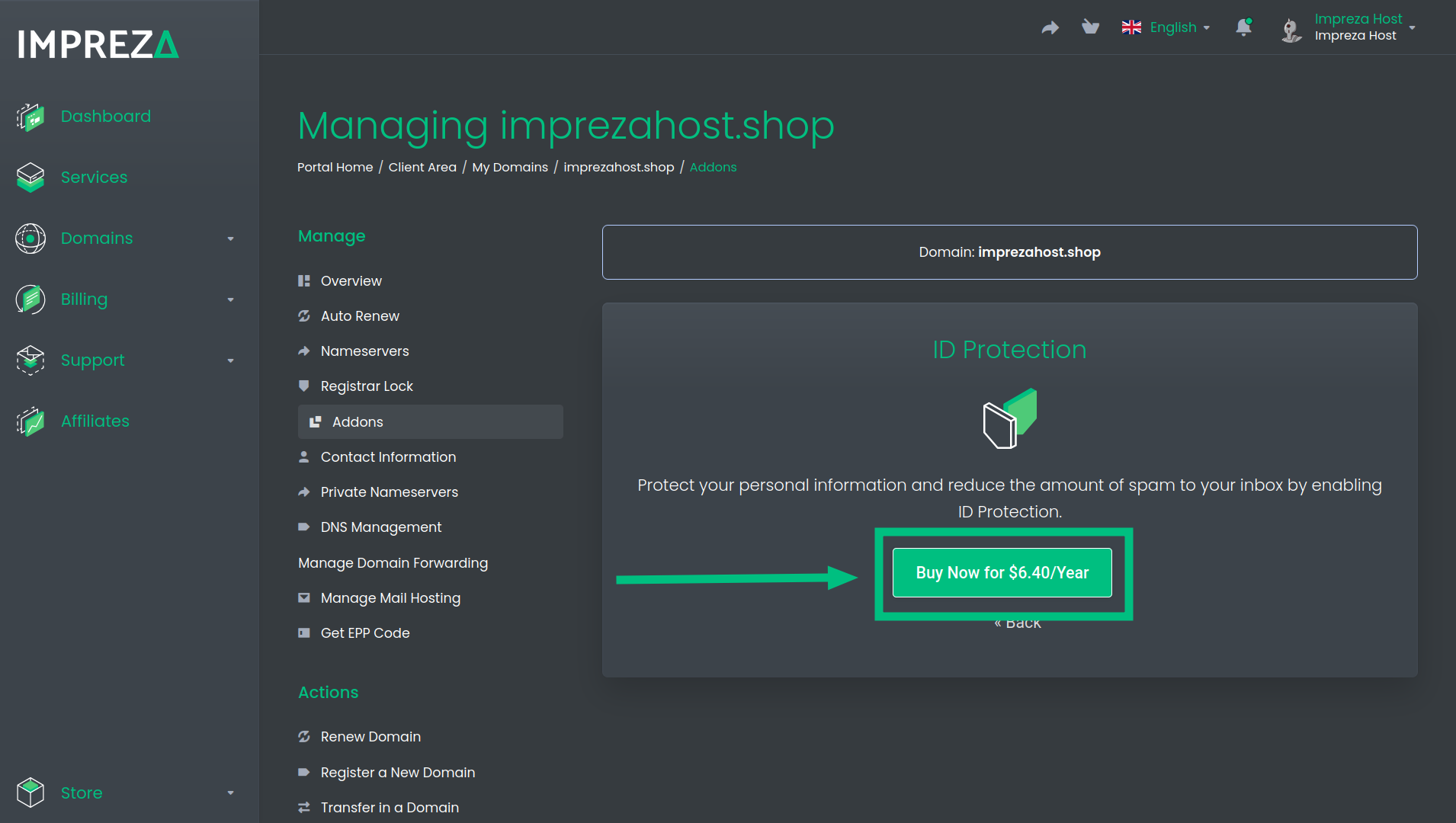
6- Now click on "Buy Now" to confirm the Addon
Once this is done, you can check on the Whois page to see if your pieces of information have already been updated. You can do it using the following URL model: whois.com/whois/YOUR_DOMAIN.com
