





















Mobile has become a more important part of our life. No one can live without their mobile devices. Users spend most of their time on their mobile and this is why users want to safeguard from cell phone hacks. Nowadays users don’t just use mobiles for calling. Rather they use mobiles for downloading applications, saving their personal data, clicking photos, using social media accounts on their smartphones, playing games & various tasks. It is estimated that mobile users are to pass the five billion in 2019.
We will show some tips to check if your mobile phone is hacked or not, so you can check your mobile security without a mobile security app. There are various reasons that mobile could be hacked. According to ethical hacking researcher at the International Institute of Cyber Security, most mobile users don’t realize until they are hacked.
YOU DON’T NEED SECURITY APPS FOR THIS
REASONS YOUR PHONE CAN BE HACKED:-
- Android & IOS Application Manager/ Installed Applications
- Android & IOS File Manager Logs
- Never Click on Unknown Links
- Regular Updates of System/ Applications
- Using Open Wifi Networks
METHODS TO CHECK:-
Android & IOS Application Manager/ Installed Applications –
- This is an important part of every mobile where users can see what is installed in their mobile. Either it is IOS or it is ANDROID. Users should be aware of what applications they have installed.
- Application Manager shows each & every application installed on mobile phones. It even shows the pre-installed applications that came with the mobile.
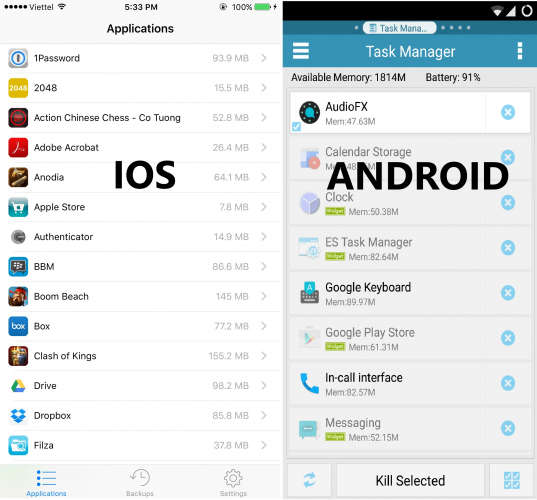
- The above screenshot shows how the application manager shows installed applications on your mobile. It could be an Android or IOS.
- If you recognize any unknown application, uninstall the application immediately.
Android & IOS File Manager Logs –
- Another way to check if your mobile is affected. You can go through file managers. In where file managers you can see each & every file. Sometimes if an application doesn’t show on your home screen or application manager.
- You can check file managers for logs. Most applications create log files for storing local information on mobiles.
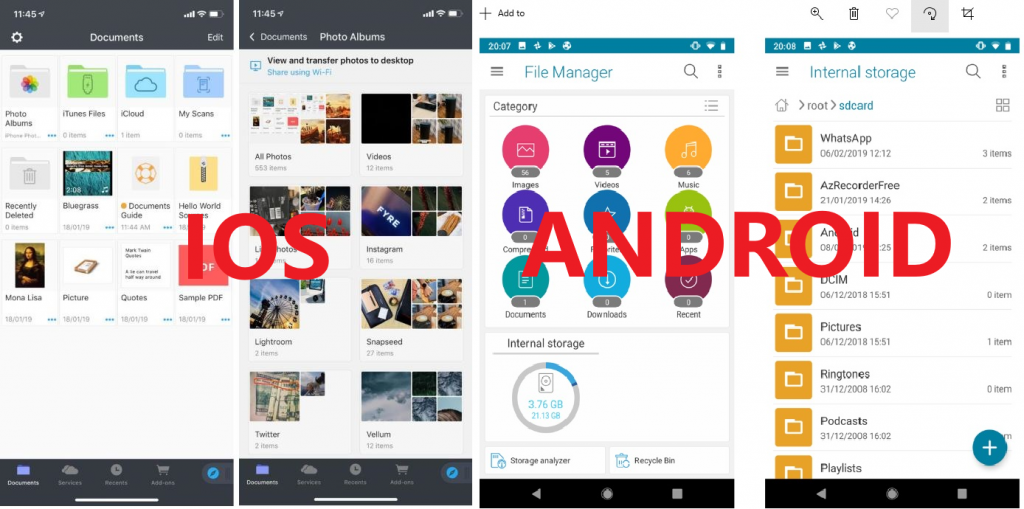
- If there is any file, you find suspicious. Delete the file. You will notice unknown folders in file managers which are usually created by applications which are installed on your mobiles.
- IOS doesn’t come with a file manager that shows all files. Except in recent updates you have seen file manager which only shows the photos.
- You can use a third-party file manager from Apple Appstore. Some Popular IOS file managers.
- Documents – https://apps.apple.com/us/app/documents-5-file-manager-pdf/id364901807?ign-mpt=uo%3D8
- FileApp – https://apps.apple.com/us/app/fileapp-file-manager-document/id297804694?ign-mpt=uo%3D8
- File Hub Pro – https://apps.apple.com/us/app/file-hub-pro-by-imoreapps/id520299954
- File Manager & Browser – https://apps.apple.com/us/app/file-manager-free/id479295290?ign-mpt=uo%3D8
- If you find anything suspicious on your mobile. You can use any of the above-listed file managers & you can search throughout every folder. If there is any unknown file. You should consider deleting that file.
- If you accidentally delete any application file. Don’t panic, the file will be created automatically. Application settings will be restored to default as the ethical hacking researcher at the International Institute of Cyber Security.
- You can also open logs from any folder. Every application creates logs in its own directory. For Ex- Below you can see a list of logs. Some logs might not open properly. But You can view basic information that what exactly logs contain.

Never Click on Unknown Links –
- The most popular trick is to spread malicious files or create buzz among users. By sending attractive discounts using popular e-commerce portal names but with unverified/ unknown links.
- Social engineering is a trick where you can trick a victim into opening malicious links. By making such links attractive & writing something that makes users click on those links.
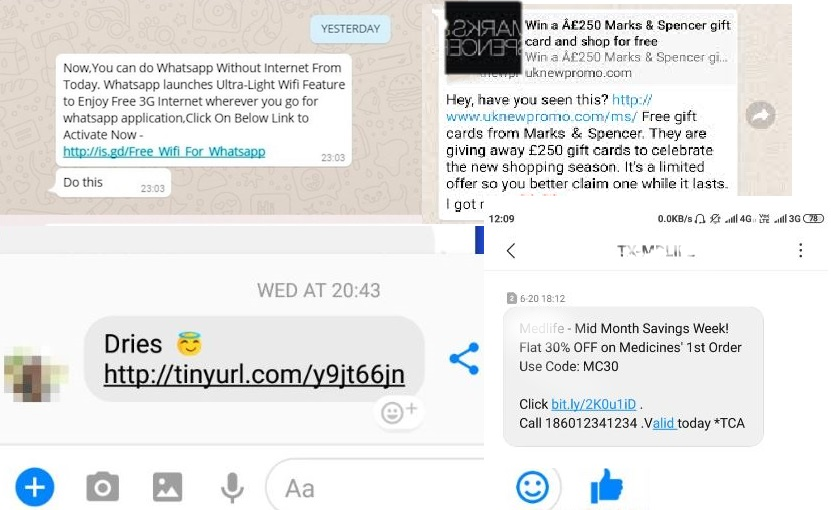
- Above you can see some unknown messages with links. Users should never click on such links. If you accidentally click on this they might gather information & can use them as digital footprints to follow you.
- If you accidentally click on this link. Such links take time to open. At that time you should immediately click on the cross-market below image for closing the link.

- Sometimes links open very fast. Click on the cross. Open Mobile web browser Settings < Privacy Settings < click on Clear Cache and Clear Cookies of the browser. This will stop the link from gathering information on mobile devices & browsers.
- Mobile Web Browser settings are mostly the same in every OS – Android or IOS.
- Another way, you can check the link is by using Online URL Scanner. For ex – use virustotal.com. Safely copy the link & paste in VirusTotal URL scanner.
Regular Updates of System/ Applications –
- System Updates/ Application Updates are an important part of every mobile. Regular updates not only save users from mobile but also enhance mobile performance.
- Many users love to use their phones. But they don’t want to update their mobile as it takes time. You should always consider your mobile from update.
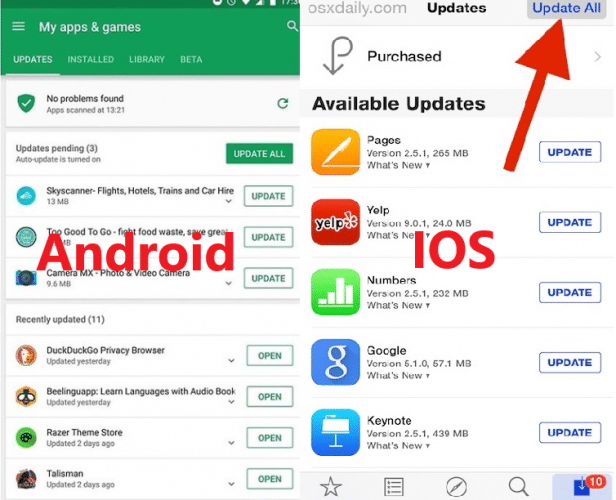
- Update all your applications from the Play Store & App Store. Updating adds new features to your mobile as well as updates security patches.
- Using older versions of applications makes your mobile vulnerable. And becomes easy to find vulnerabilities for attackers.
Using Open Wifi Networks:-
- Most people use public or open Wifi networks which are the most unsafe place networks. Usually, many users use social media accounts, banking applications & many other money transfer applications. Using such applications on public networks is risky. Because you don’t know who is snooping on your wifi network.
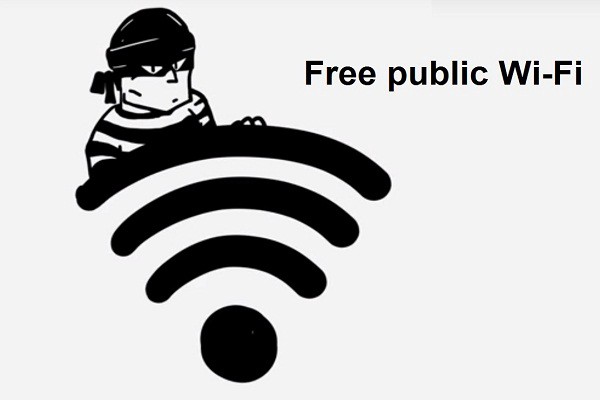
- Don’t use such applications on public wifi. Might be attacker is snooping on the Wi-Fi network. An attacker could use session hijacking methods to break into your mobile.
- Use strong password policies (Easy to Remember Hard to Guess) for your social media/ banking accounts. Never leave your mobile unattended in offices, restaurants, cafes, or any public spaces.
- Must use a screen lock, it gives added protection to your mobile. If an attacker has physical access to your mobile, it might take time to break into your phone.
- Every OS saves the wifi network information on their mobile. For ex – in Xiaomi – Redmin Note 4. You can see the saved Wifi Networks in Wifi advanced networks < Manage Saved Networks.
- If you find anything suspicious in your mobile. You can check the list of saved networks. That is from what Wifi network you have connected. For security reasons, we have blurred the names.

- If an attacker is snooping on public Wi-fi. Attackers can install a third-party application on users' mobile without even knowing them. But this method needs good preparation. To get remote access to any mobile device attackers also try to hijack public Wifi networks.
