





















In today’s digital life privacy matters a lot for any user. Especially, if the user is surfing the Internet using any web browser. There are many ways that users can protect themselves from revealing their privacy on the internet. There are many ways that your web browser knows more about your computer than you, as demonstrated by ethical hacking investigators. Every website that users visit using their web browser website grabs a lot of information about the web browser. Many URLs show how vulnerable your web browser is to leaking information about you.
Ethical hacking researcher of the International Institute of Cyber Security says that the below methods can be used in information gathering or you can say reconnaissance phase. Below test are done using a proxy in India, so you can test your mobile browsers or system browsers with and without a proxy.
There are many methods to show how vulnerable is web browsers are. Many cross-site scripting attacks are used to attack web browsers to steal the credentials of the users. Social engineering attacks are also popular to steal information about the target. Now we will see some websites that can help you find what you are leaking to hackers, ethical hacking consultants assure.
- Open any web browser. Go to: https://panopticlick.eff.org
- After opening the website, the website tells what every website tries to grab about the users.
- Click on Test me
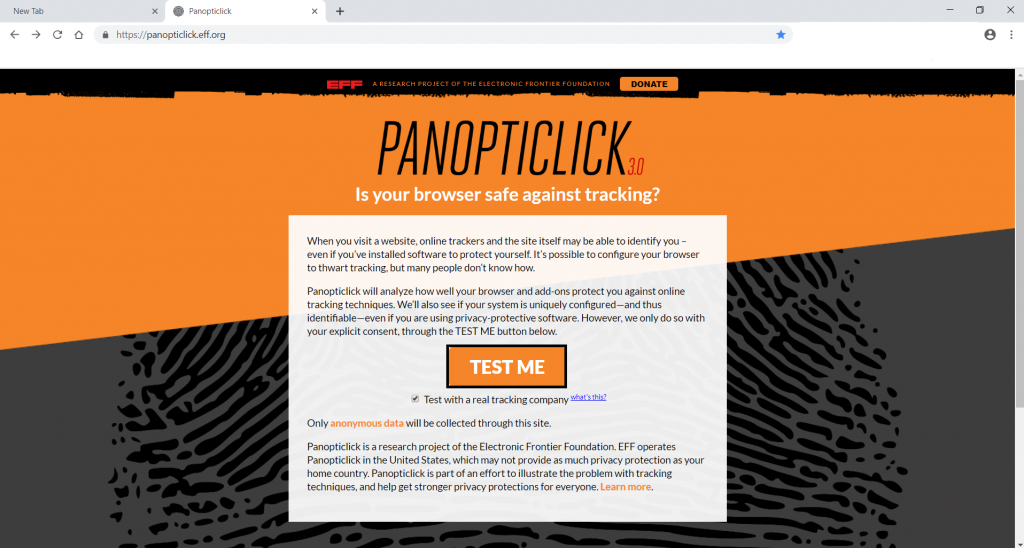
- As you click on test me, panopticlick will try to grab details of your browser.
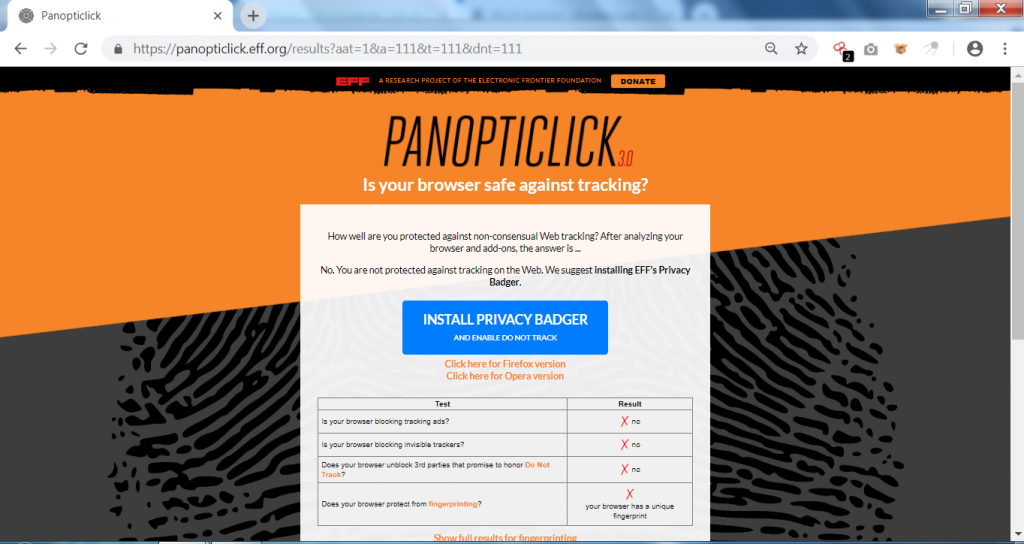
- The above screenshot shows that the web browser is not blocking ads or trackers.
- Every web browser has a unique fingerprint, fingerprinting is a process of the identifying browser based on its unique fingerprinting. The above link also shows web browser has a unique fingerprint that can reveal information.
- Most of the websites know about the computed information. Let's check some another websites which gives more details about the web browser.
- Go to website https://privacy.net/analyzer/

- As you open the above URL, privacy.net will gather information like IP address, location, and network operator. The information shown is basic but can be used in information gathering.
- Privacy.net offers some great features that can be analyzed to check web browser activities. You can also check if the web browser has autofill vulnerability.
- Clicking on the state /province
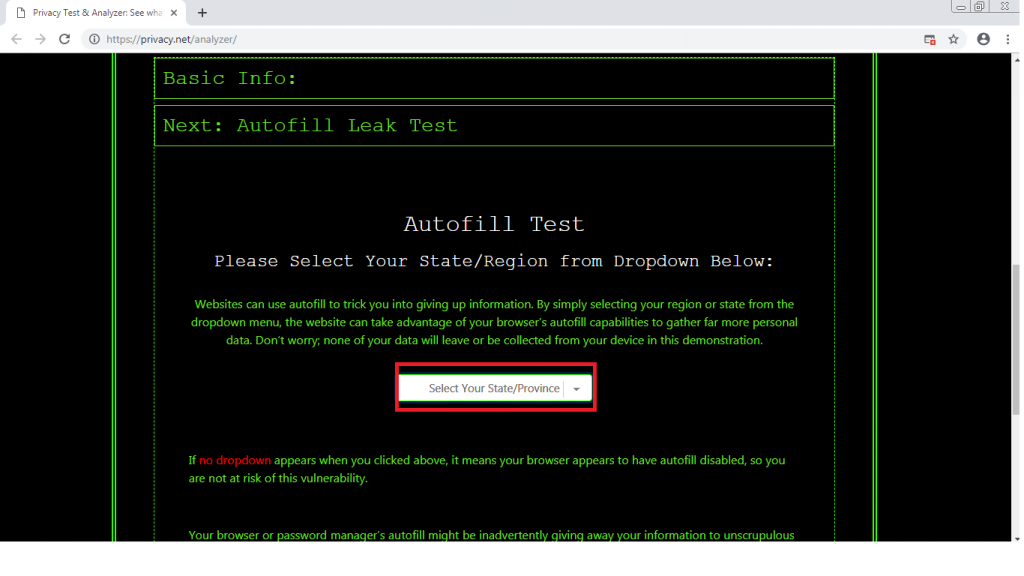
- If no dropdown appears means web browser is safe from this vulnerability. This vulnerability can reveal your local location over the network.
- privacy.net can authenticate some more info about the web browser. Click on the
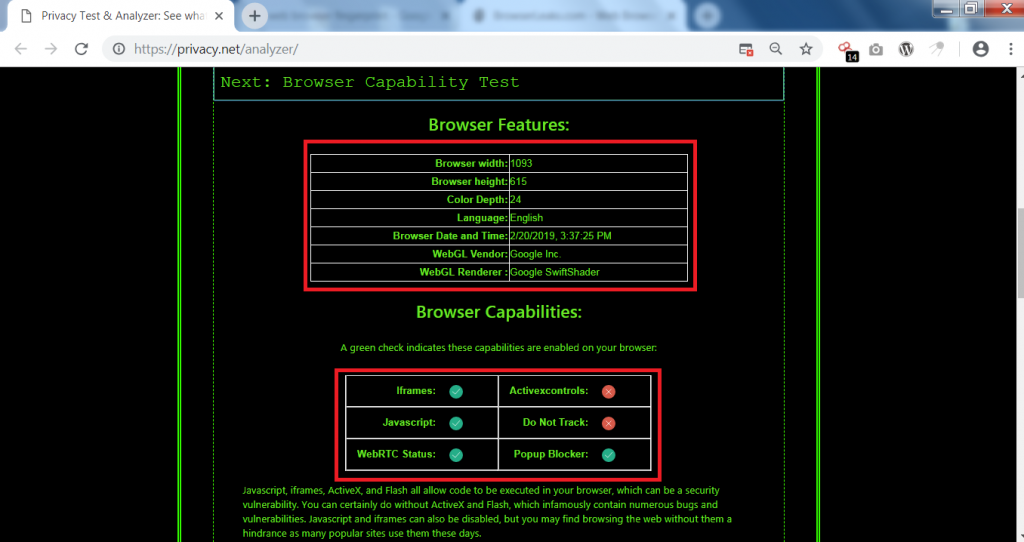
- The above screenshot shows browser details like width and height. It even shows the browser date & time. Web browser capabilities show the settings that are enabled in the web browser.
- Further scrolling to the webpage, shows user agent, accept encoding, language, host & cookies. The information collected by privacy.net can be used in other hacking activities.
- Open URL : https://browserleaks.com/
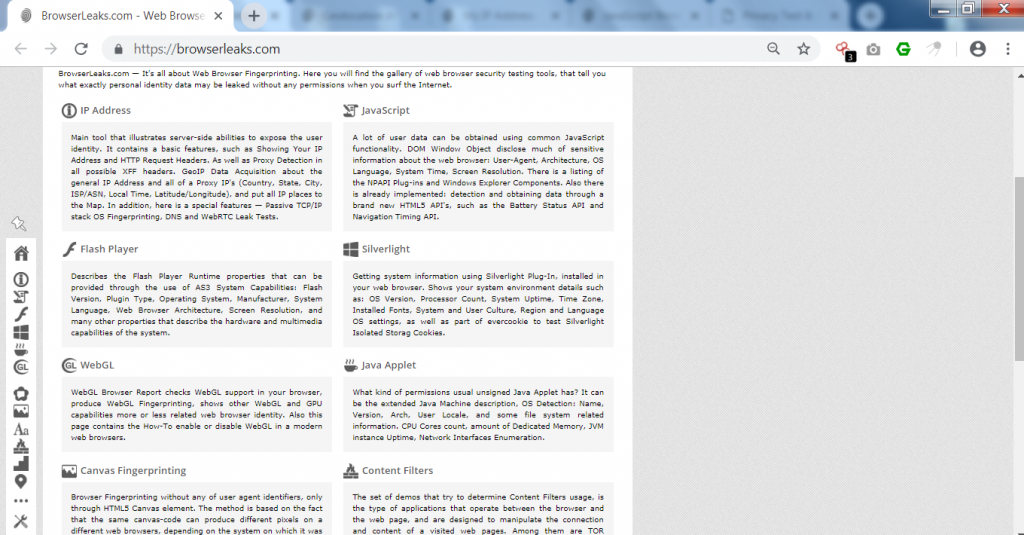
- Click the above options to know details of your web browser.
- As we have clicked on the IP address. It will show the details of IP address, country, city, operating system, User agents & location.
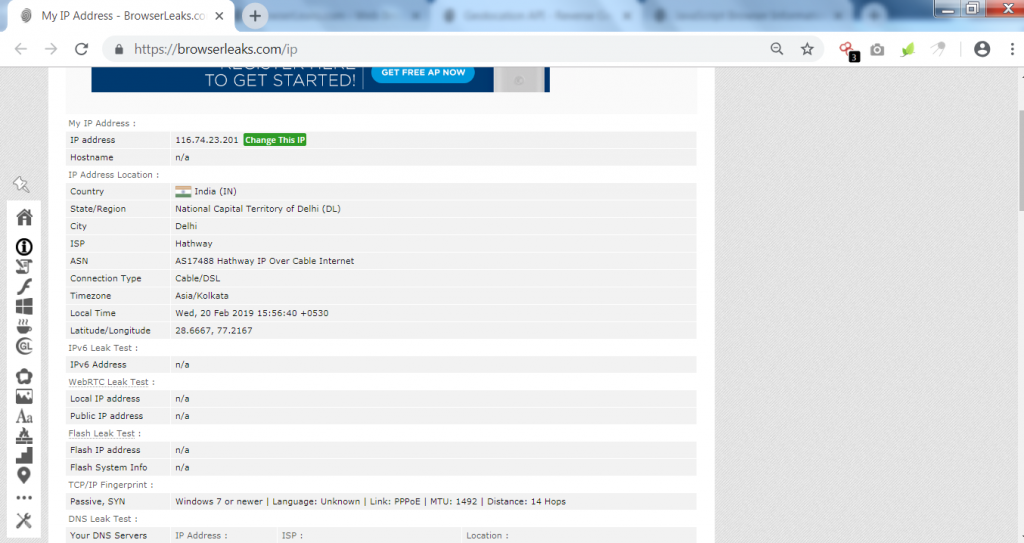
- The above screenshot basic info about the web browser.
- Scrolling down the web browser shows the location of the web browser.

- The above screenshot shows the exact geolocation of the web browser.
- Enabling JavaScript can reveal a lot of information about your web browser and your computer.

- The above screenshot shows the timestamp of each networking protocol. The javascript plugin reveals many features about the computer. Browser leaks use an API to gather all details about the web browser & about the computer.
- Now Go to: http://webkay.robinlinus.com/
- This website shows an explanation & prevention that how web browser stores your information.
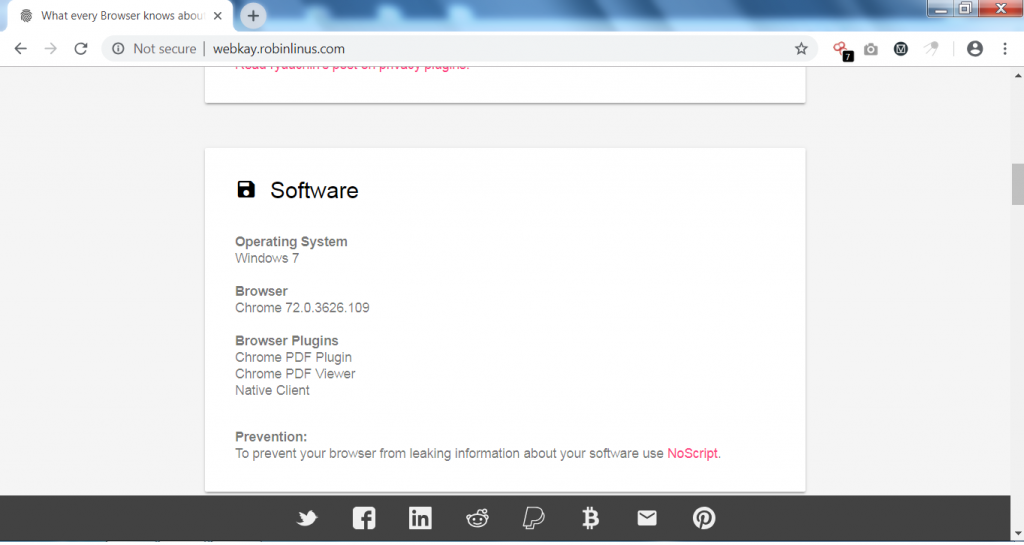
- The above link shows the operating system, browser, and plugins that are installed.
- The site also shows the hardware specifications of the system.
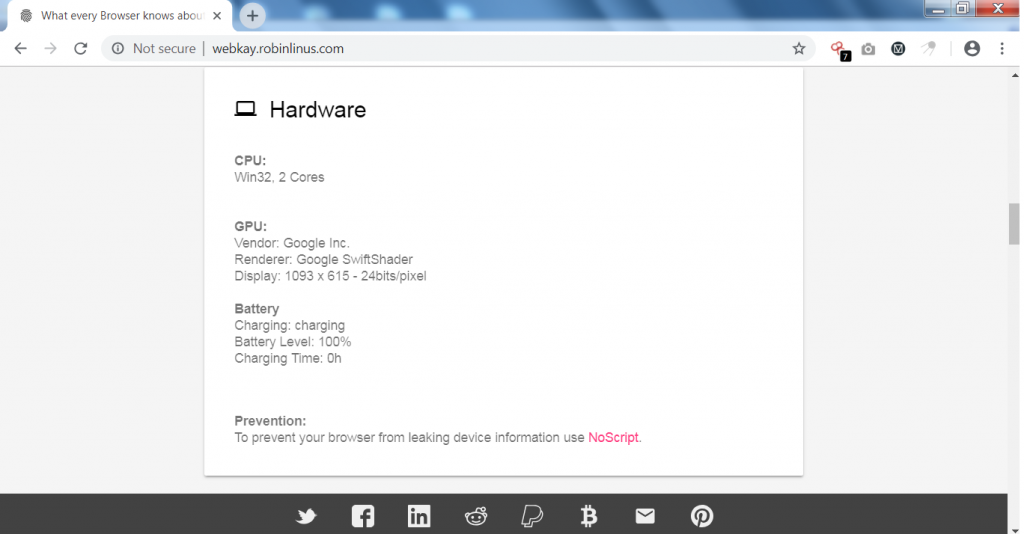
- The site also tells your location if you have enabled your location services.

- If you click on the maps, it will show your real location with longitude and latitude taken from the webkay.com
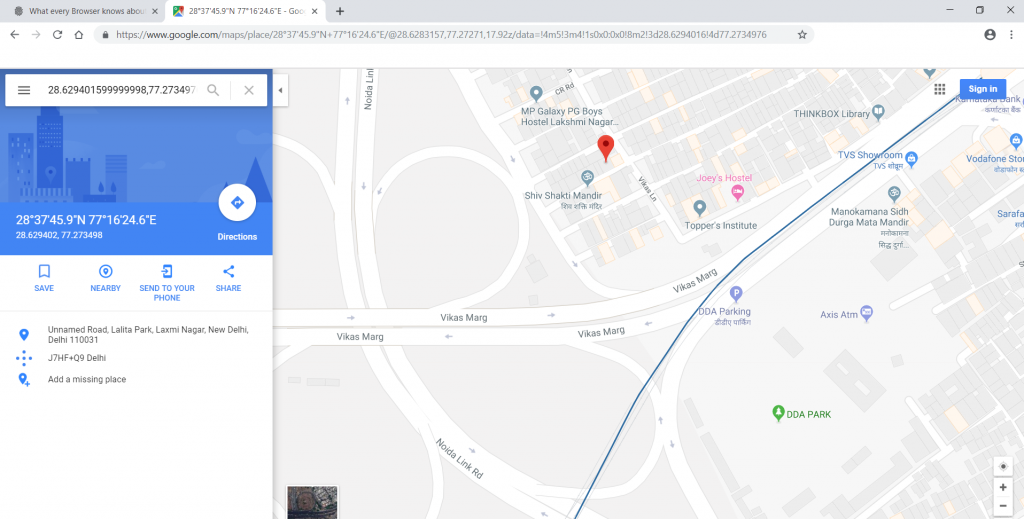
- The above information can be used in initial phase of pentesting.
- The webkay.com also shows that you can prevent web browsers from revealing your information by using no script. No script is freeware available in most stores to download & disable JavaScript on the browser.
- But disabling javascript can laid some URL pages to not open.
