

















DNSMap: DNSMap is a tool used to gather subdomains & information of subdomains for a target host, as per ethical hacking courses. It was developed in 2006 and last updated in 2010. This package consists of 2 scripts – dnsmap, and dnsmap-bulk.sh. Dnsmap is used in scanning single domain and dnsmap-bulk.sh in bulk domains. According to ethical hacking expert from International Institute of Cyber Security, you can use dnsmap in footprinting activities also when you are doing black box penetration testing.
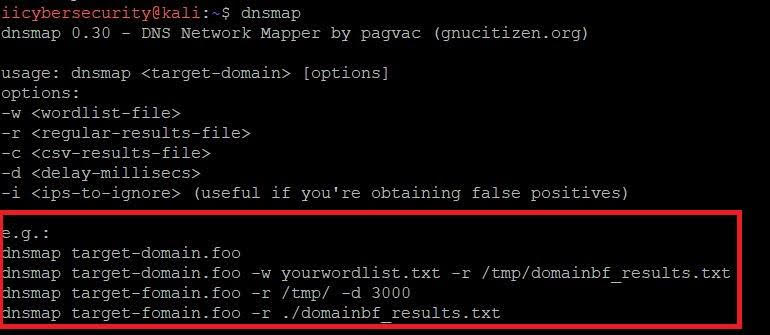
- To launch dnsmap simply go to Linux terminal and type dnsmap.
- After typing dnsmap you will get the below output.
- Dnsmap will give you help, which shows available options.
DNS USE:-
- Type dnsmap hackthissite.org
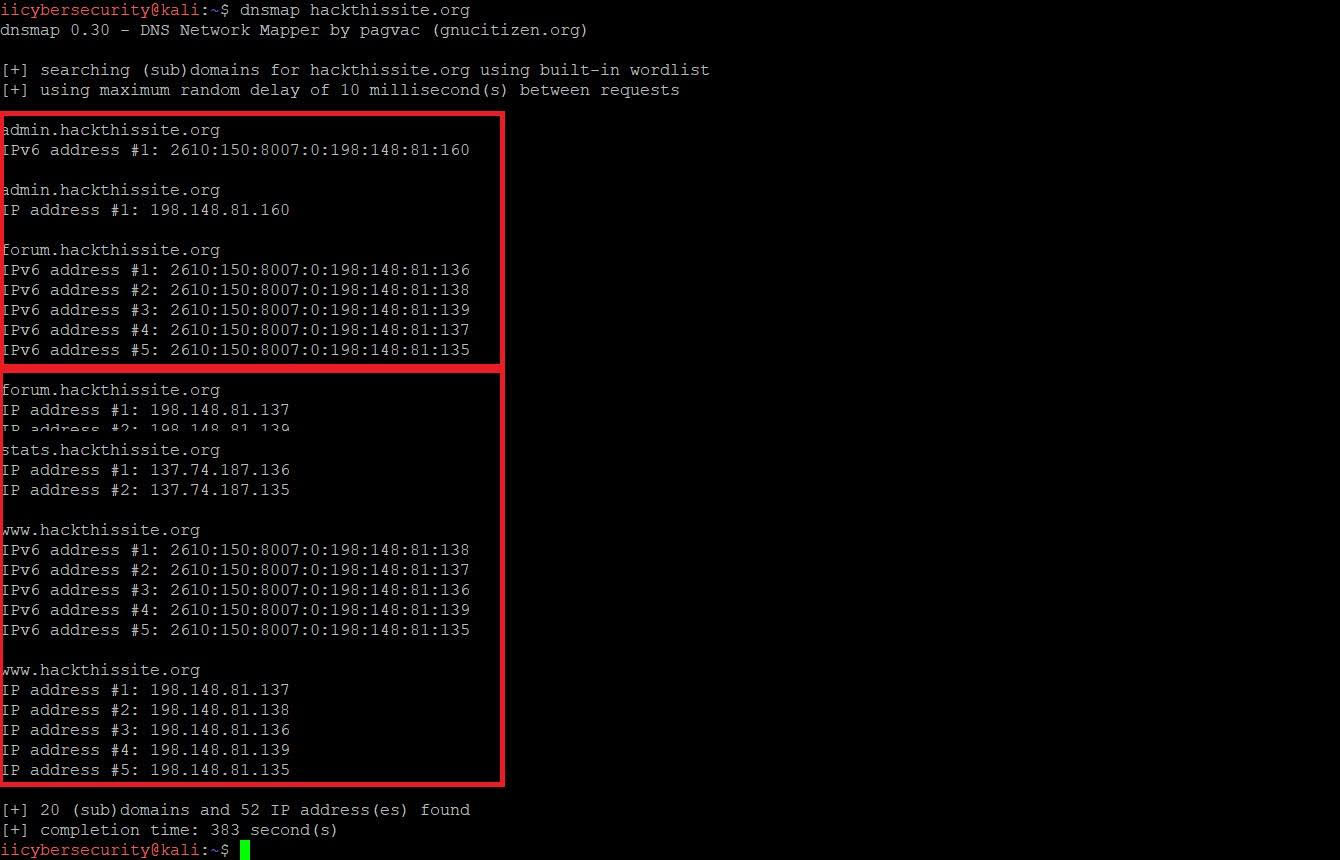
- If you run dnsmap without any options using only the target address, it will use the default list to brute force the target’s subdomains. As you see additional information in the above screenshot could be used for testing.
- For saving the output for later use in pentesting, rather than just viewing the results on the Linux console. To save the output in a .txt file, type
dnsmap hackthissite.org -r /home/iicybersecurity/Desktop/dnsmapoutput.txt
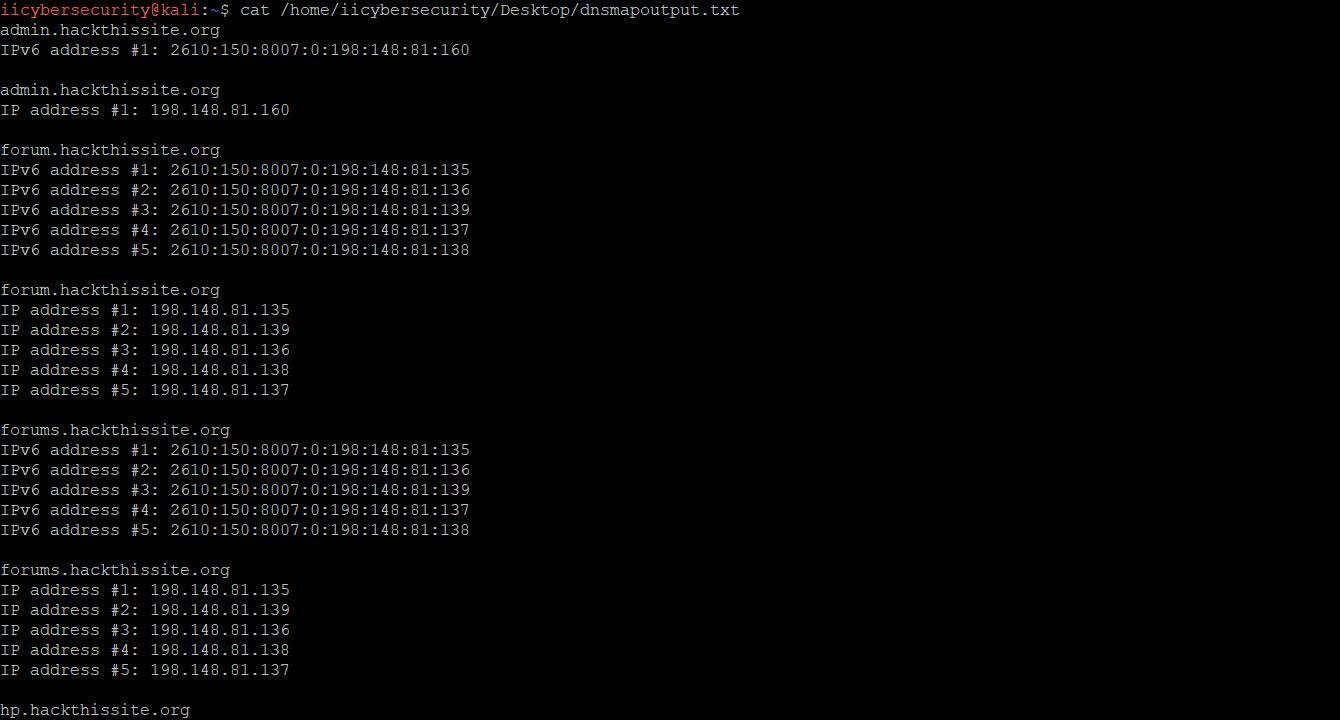
- Once the scan is finished open the text file, dnsmapoutput.txt in /home/iicybersecurity/Desktop/ path and you can see the same results as shown below:
- As you know dnsmap uses a default list, but you can use your own or another wordlist.
- Downloads wordlist from the given link and use it with the -w option, as mentioned below:
http://www.md5this.com/tools/wordlists.html
- Dnsmap command with wordlist:
dnsmap target-domain.foo -w yourwordlist.txt -r /tmp/domainbf_results.txt
- As per the ethical hacking researcher from International Institute of Cyber Security, this tool is commonly used with the word list of different languages to scan the hidden websites belonging to the respective country.
