






















X (Twitter) is the most popular social network platform nowadays. On X (Twitter) users post their messages and interact with anyone which are known as tweets. Normally if you want to obtain information of any X (Twitter) user you will definitely check his X (Twitter) handler. But there are many options to analyse all the details of X (Twitter) account easily with the help of a tool called Tinfoleak. Tinfoleak is a complete open-source tool used in analyzing Twitter handlers, mentioning ethical hacking teachers.
According to an ethical hacking researcher at the International Institute of Cyber Security says that Tinfoleak can be used while investigating any person.
Tinfoleak is written by Vicente Aguilera Diaz. The tool comes for Windows and Linux platforms. To show you, we have tested it in Windows. In the Linux platform steps are the same and the UI also.
- To download the tool go to: https://github.com/vaguileradiaz/tinfoleak/tree/master/Windows-EXE
- After downloading the tool unzip the tool. You can use any zip softwares for unzipping the tool.
- After unzipping open Tinfoleak folder. For using the Tinfoleak firstly you have to edit the tinfoleak.py.
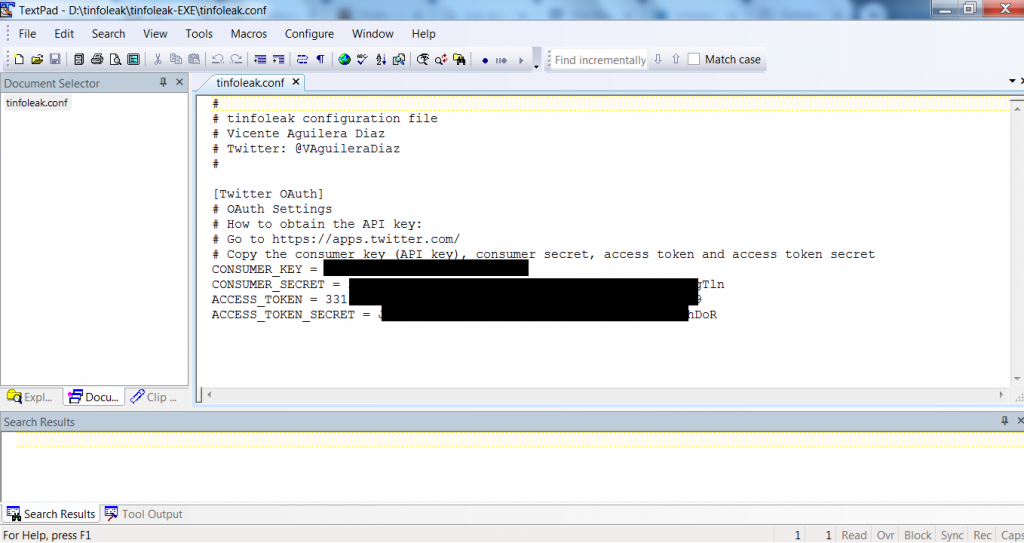
- Enter the access tokens and api key, consumer tokens and api key. Be careful while editing the conf file.
- Use Wordpad or Textpad to enter the tokens and api keys. Don’t use Notepad while entering the access tokens as it distorts the file format.
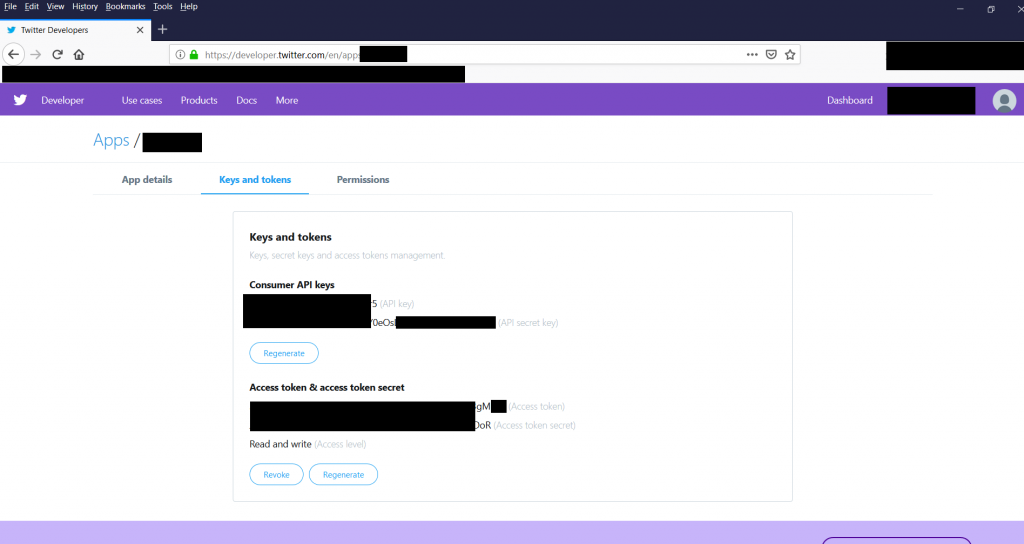
- To get the access tokens, you have to create a developer account on X (Twitter). After creating an account on X(Twitter). Sign in: https://developer.twitter.com/
- You can get the access tokens from: https://developer.twitter.com/en/docs/basics/authentication/guides/access-tokens
- After entering the consumer tokens and api keys, access tokens and api keys. Save the file and open tinfoleak.exe as shown below.
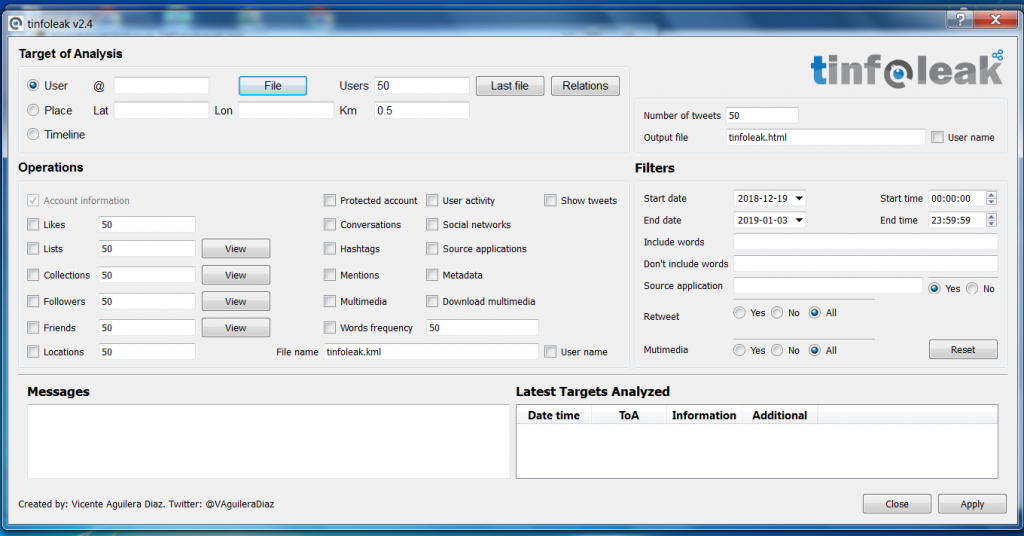
- Tinfoleak does offer many features to analyse your target. So you can easily create a further scenario for penetrating the target.
- Tinfoleak saves information in html file. To access html file go to the Output_Records folder inside Tinfoleak folder D:\tinfoleak-EXE\Output_Reports. There Tinfoleak will save the data to analyse in html form.
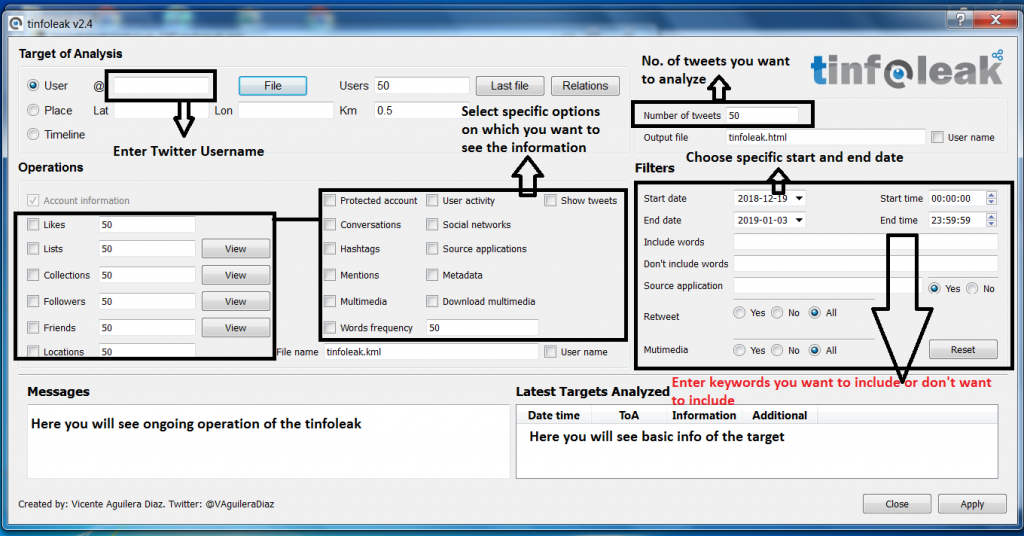
- Enter the name carefully, as Tinfoleak is case-sensitive. Enter only X (Twitter) username.
- Tinfoleak gives many options to analyze X (Twitter) account of anyone. It shows options like collection, followers, friends, locations, hashtags, metadata, and many other information that can be used in other hacking activities.
- Now enter the X (Twitter) username of any person you want to search. Type any X (Twitter) username. For ex, we have analysed Webimprints.
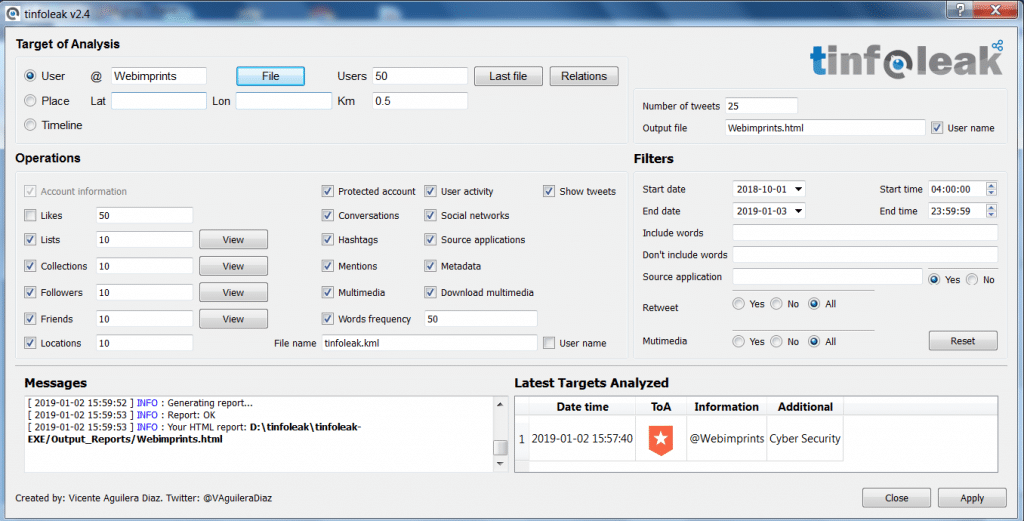
- After entering the username click on apply. As you click on apply, tinfoleak will start scanning the target X (Twitter) account. After scanning has complete Tinfoleak will save the scanned data in html file.
- Open html file in the output_reports folder.

- After opening the HTML file. Tinfoleak shows the basic details of webimprints. It shows the account creation date. It shows the X (Twitter) ID, and location. It shows the URL of Webimprints.
- The above information can be used in the initial phase of pentesting.
- Scrolling down the webpage shows more information about Webimprints.

- The above screenshot shows the bar graph of webimprints. It shows the followers vs friends, tweets vs likes, and tweets, likes per day.
- Scrolling down shows timeline activity and shared URLs.
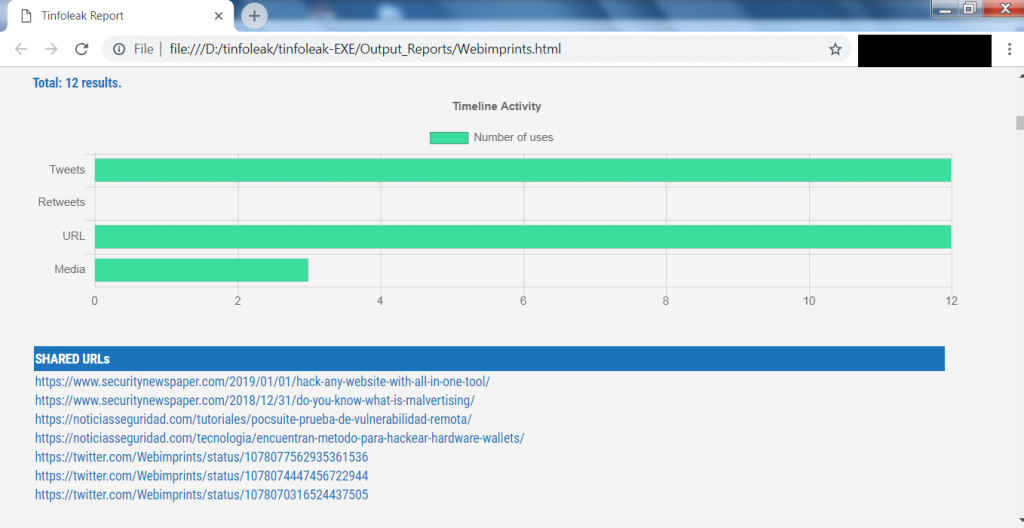
- The above screenshot shows the timeline activity in graph form and the shared URL list. The above URLs can be used in analyzing the target or can be used in other hacking activities.
- Tinfoleak does grab a lot of information about webimprints. Further scrolling shows the no. of tweets.
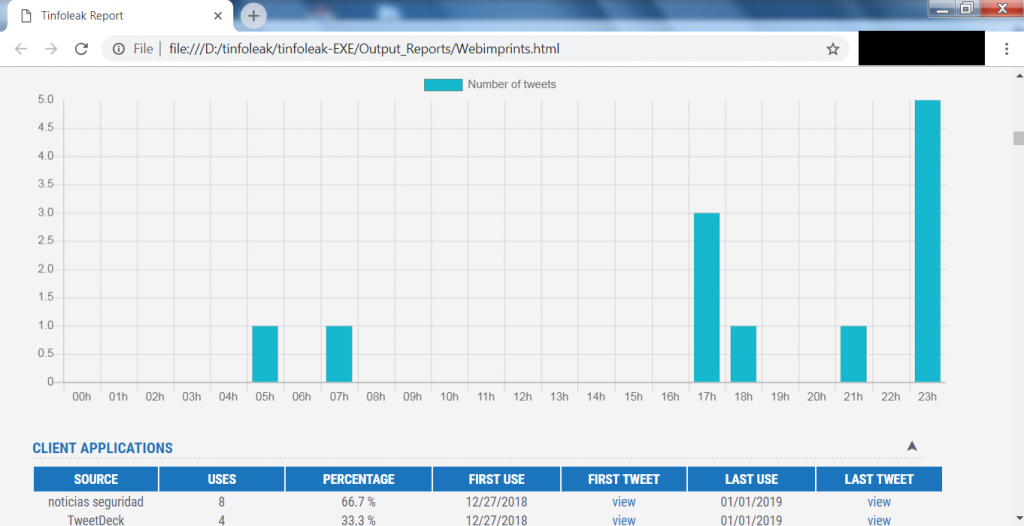
- The above screenshot shows the no. of tweets when webimprints has tweeted. This information can allow an attacker to know the login time of Webimprints.
- The above graph can be used to prepare for session hijacking attacks or can be used in other hacking activities.
- Tinfoleak gives hashing details of Webimprints.
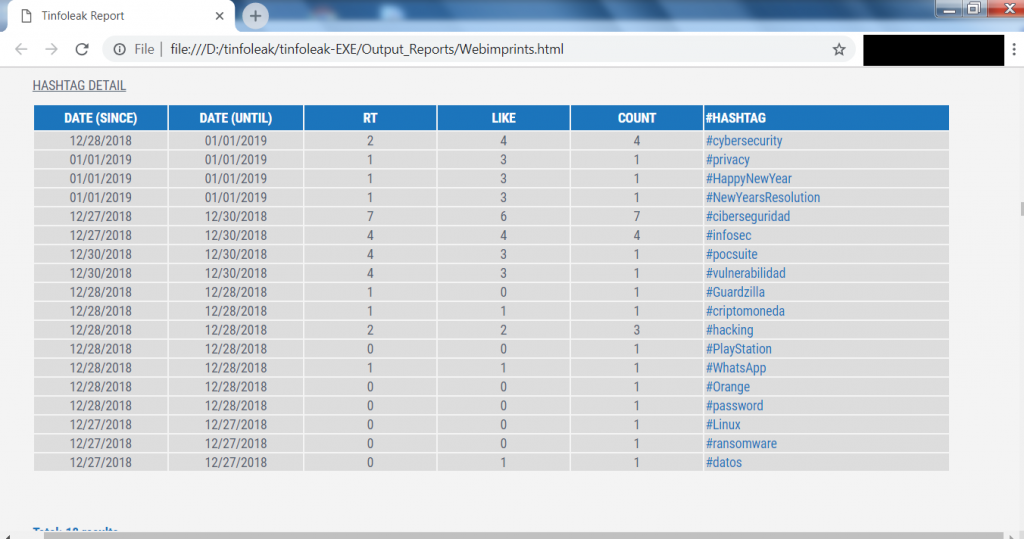
- The above screenshot shows the hashtags that have been used by Webimprints while posting on X (Twitter) feed. The above hashtags are most related to cyber security tools.
- Further scrolling down shows the words used by webimprints, which can be further used for creating wordlists.

- The above screenshot shows the words that are used mostly by Webimprints. The above list can help an attacker to prepare a dictionary attack or can be used in other hacking activities, say ethical hacking specialists.
