


Hello, this page intends to clarify how to back up your .onion domain in case you need to change your server or reinstall it.
1 - Connect to your server via SSH

2 - Go to the torrc file, a text file that says to the tor system how it must behave. Its path is /etc/tor/torrc
So go there using the nano command or another one you usually use.

3 - Now you must find the lines that start with: HiddenServiceDir and HiddenServicePort
The first one of these lines has a path to the folder where your domain file and domain keys are, copy this path. Look at the image below as a reference: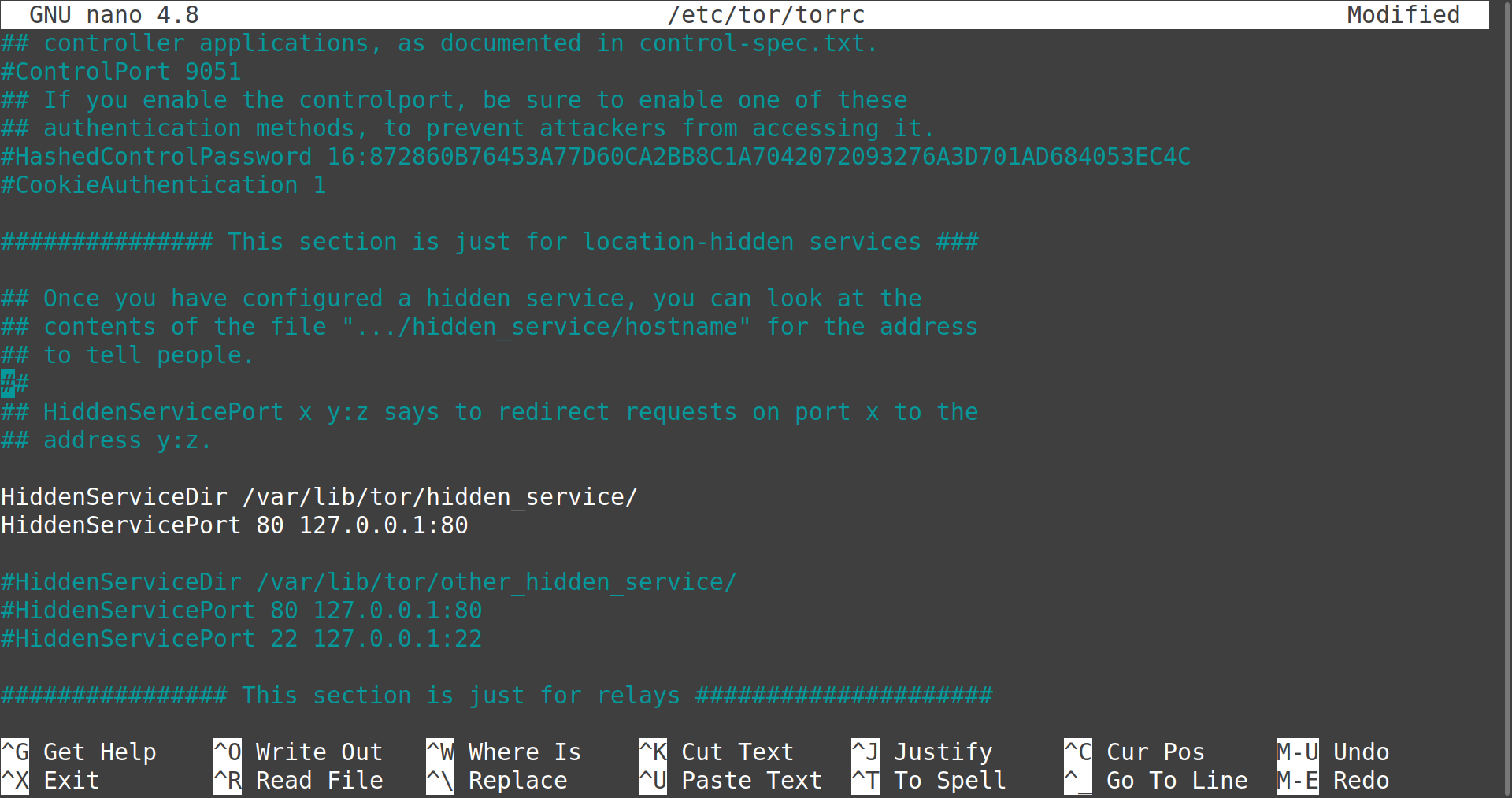
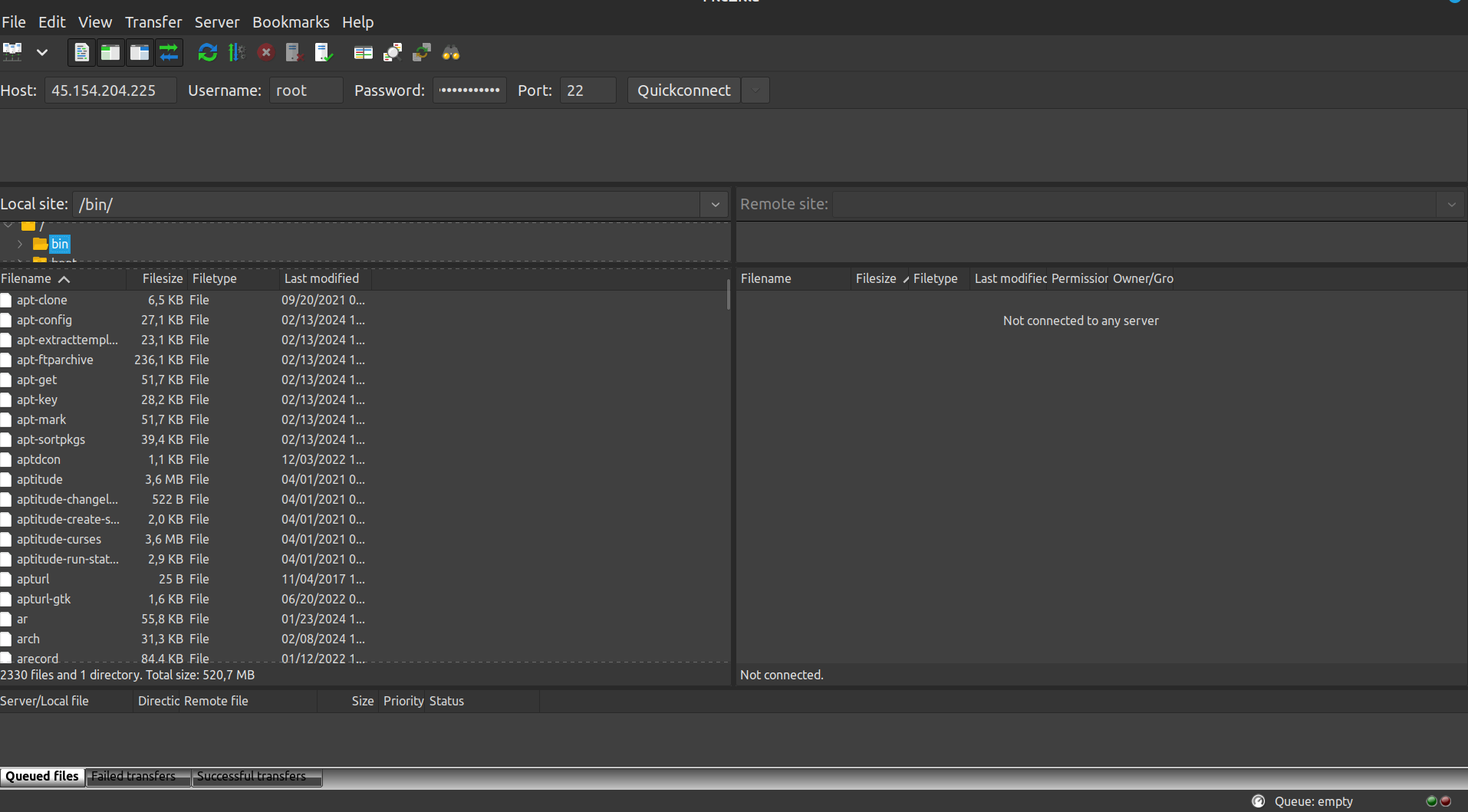
4 - After you verified the path to your domain folder, connect to your server using FTP or SFTP
5 - Now, download the folder where your domain name and domain keys are to your own computer and save it until you upload it to your server after reinstalling it.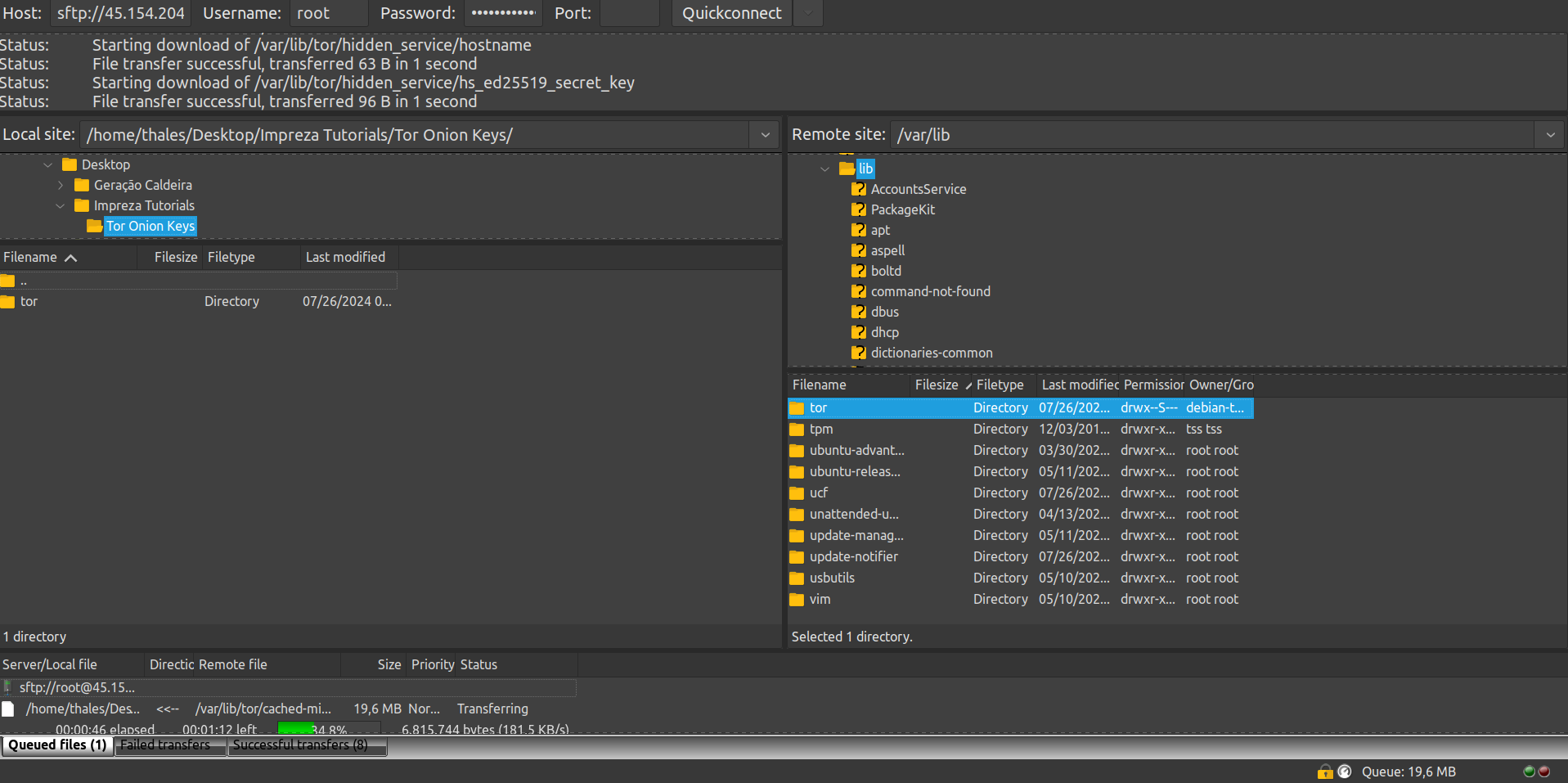
Note that it is very important that your keys stay safe.
