


Hello, this page intends to clarify how to back up your .onion domain via aaPanel in case you need to change your server or reinstall it.
1 - Conect to your aaPanel 
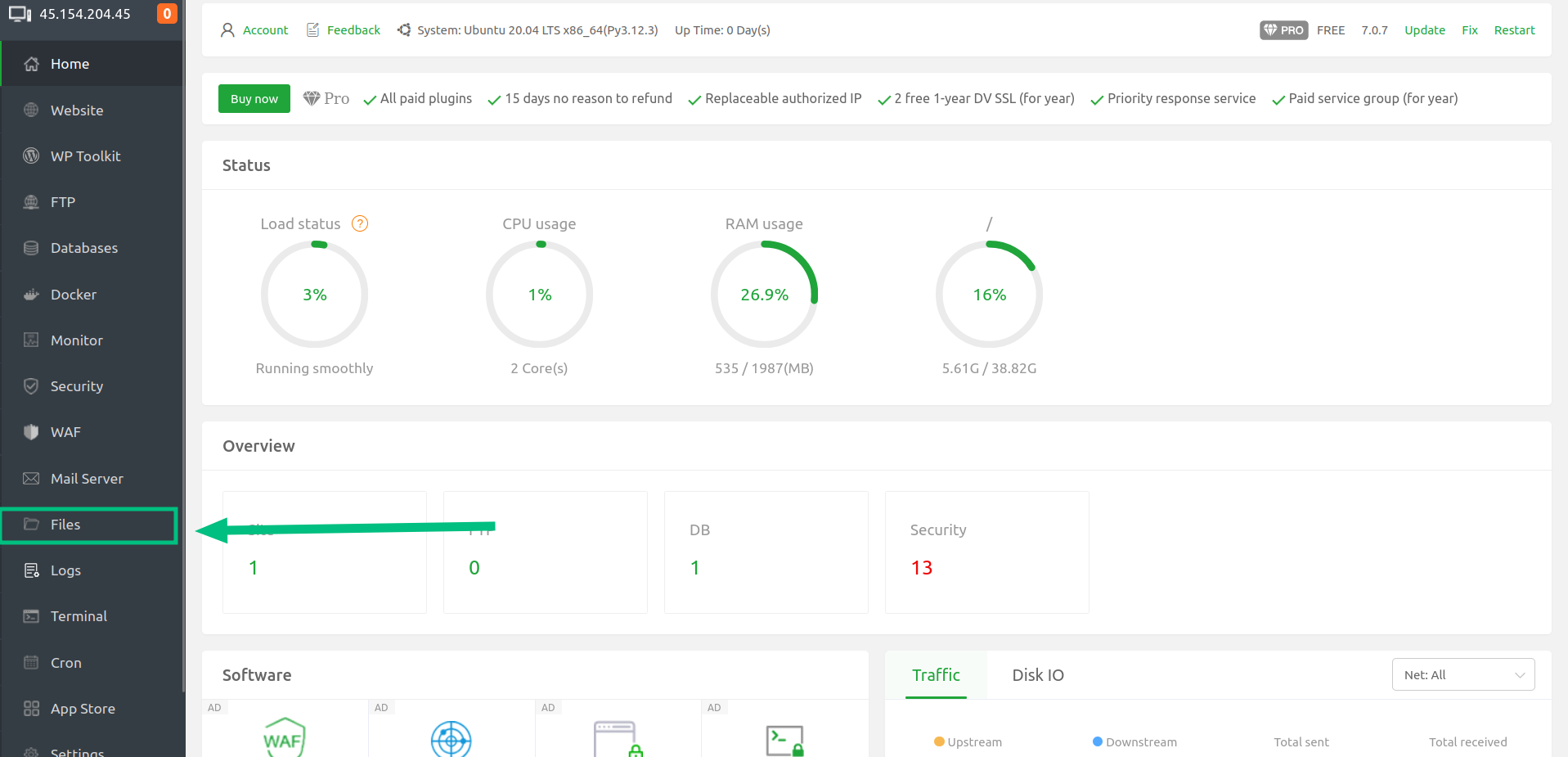
2 - Click on Files in the left side menu
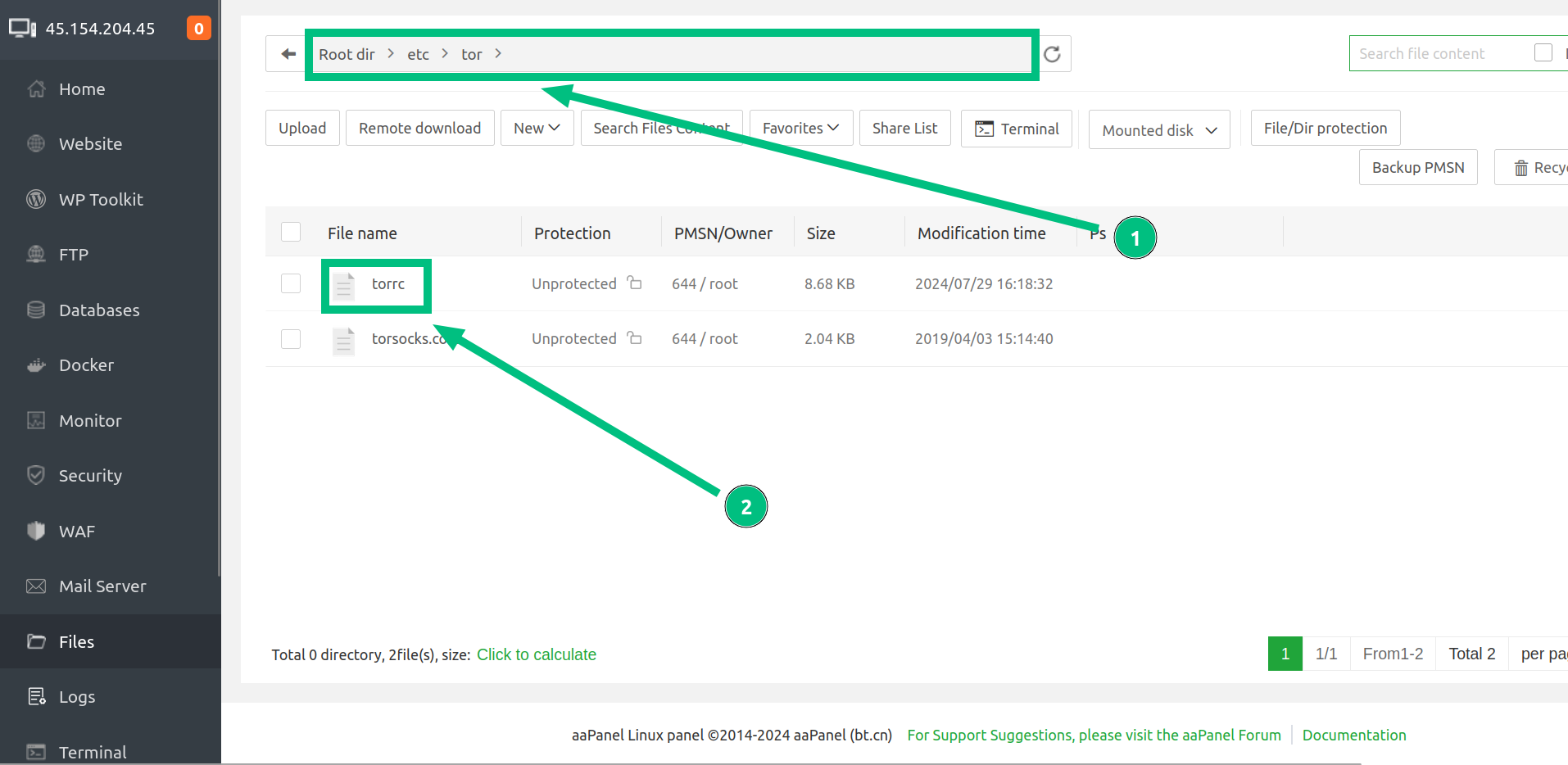
3 - Now we must find and access the torrc file, and then:
3.1 - Search for the following path: /etc/tor/
3.2 - With a double click open the torrc
4 - Search for the two lines starting with HiddenServiceDir and HiddenServicePort respectively, and copy the file path there indicated: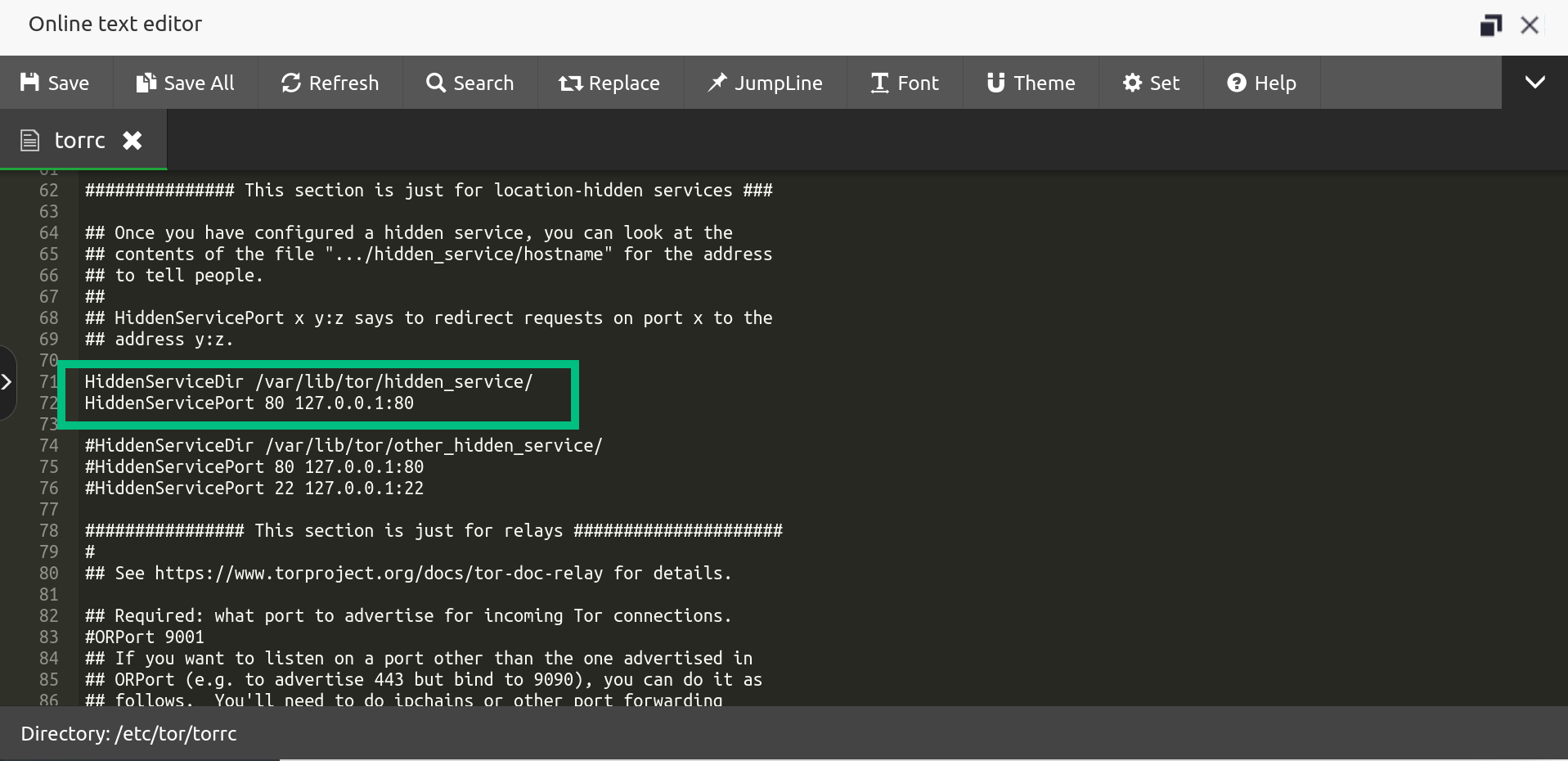
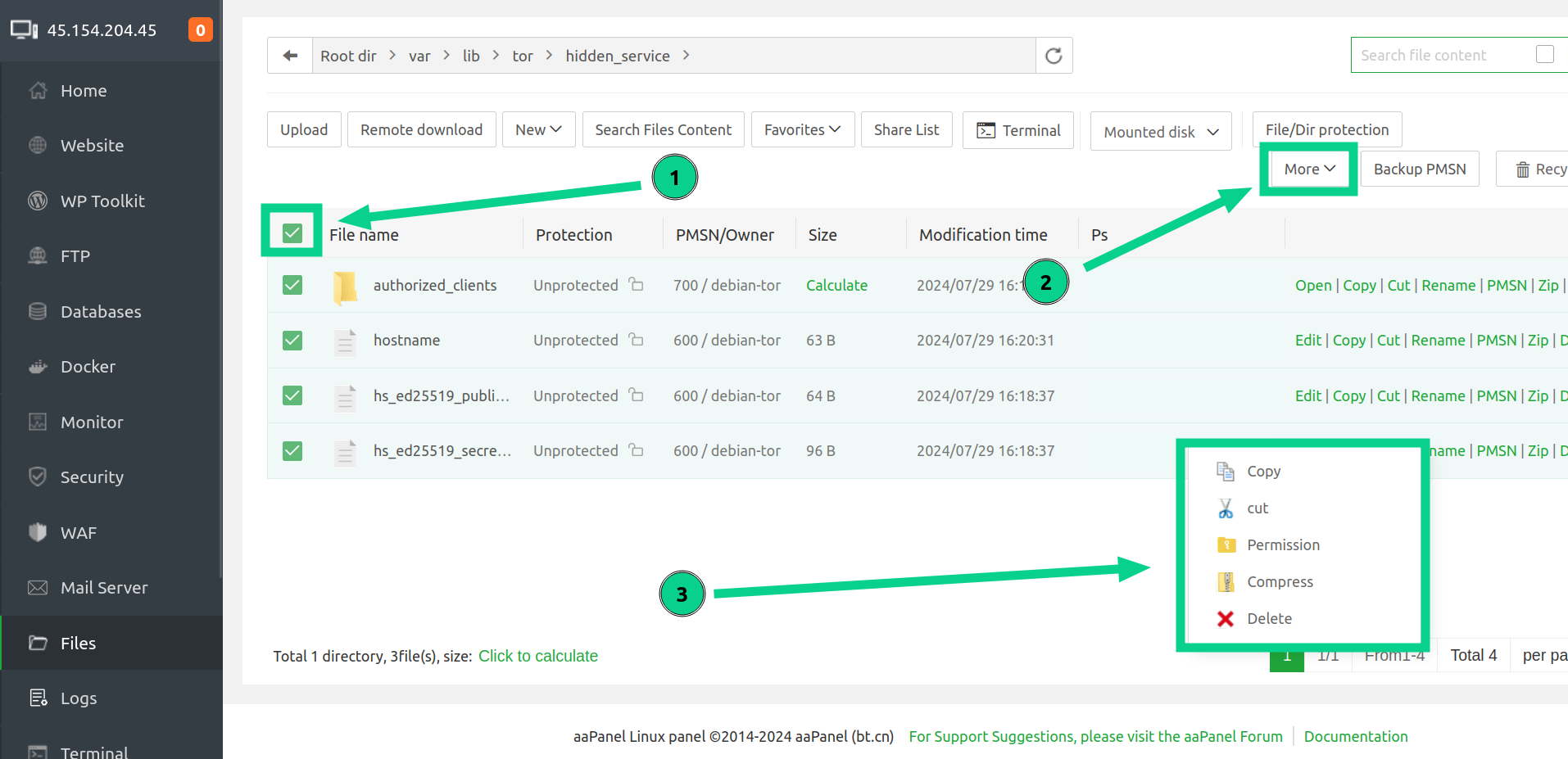
5 - Search for the path you just copied, and then do the following:
5.1 - Click in the box Select All
5.2 - Then click on the More option
5.3 - Select the Compress option
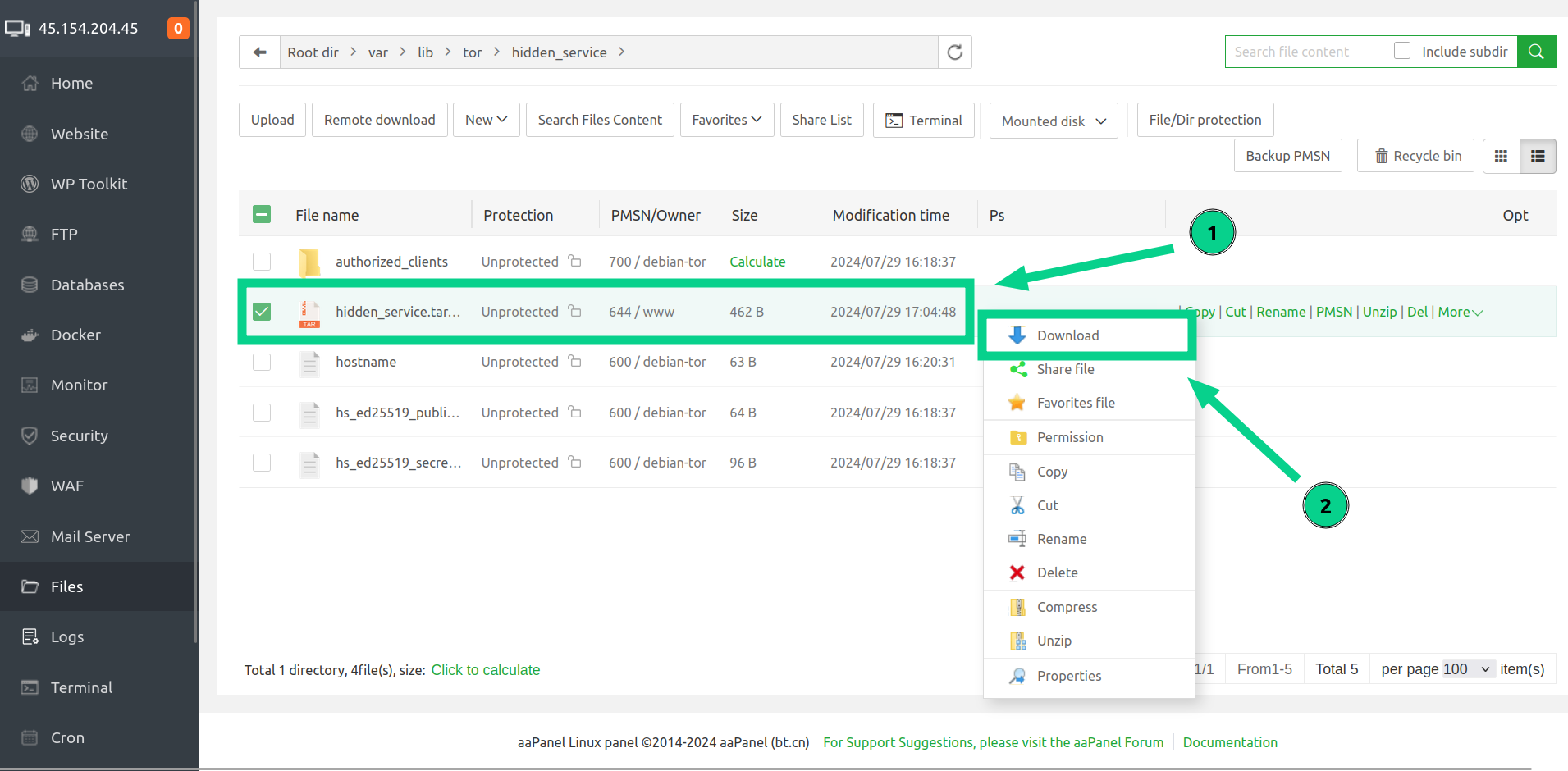
6 - Now we are going to download the backup of your domain keys, so:
6.1 - Right click on compressed file
6.2 - Then click in Download
It's done! Now you have a backup of your domain and its keys in your personal computer.
Feel free to ask any questions you have about the subject to our team whenever you need to.
